The AI your team works with, run by your own organization

Attach the documents you already have, and every answer is grounded in them. Write reports and slide decks in the same conversation, and see what each answer drew on and how far your data went.

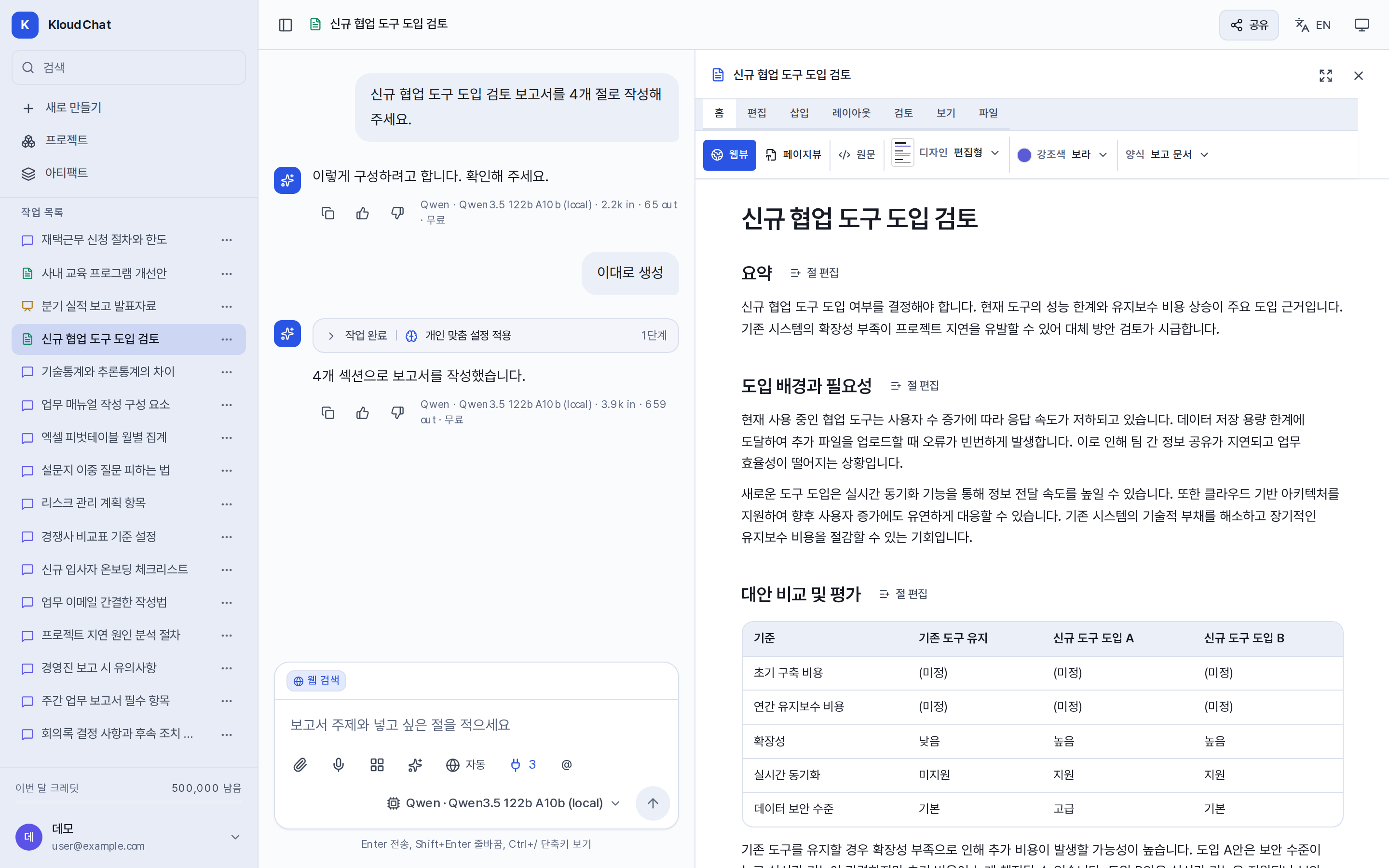
A conversation that produces a report: chat on the left, and on the right the report panel, edited section by section.

Answers grounded in your documents

Attach a PDF, Word, Hangul, or Excel file and KloudChat answers from its contents. An attached file stays available for the rest of the conversation, and when a file is long only the parts relevant to your question are sent.
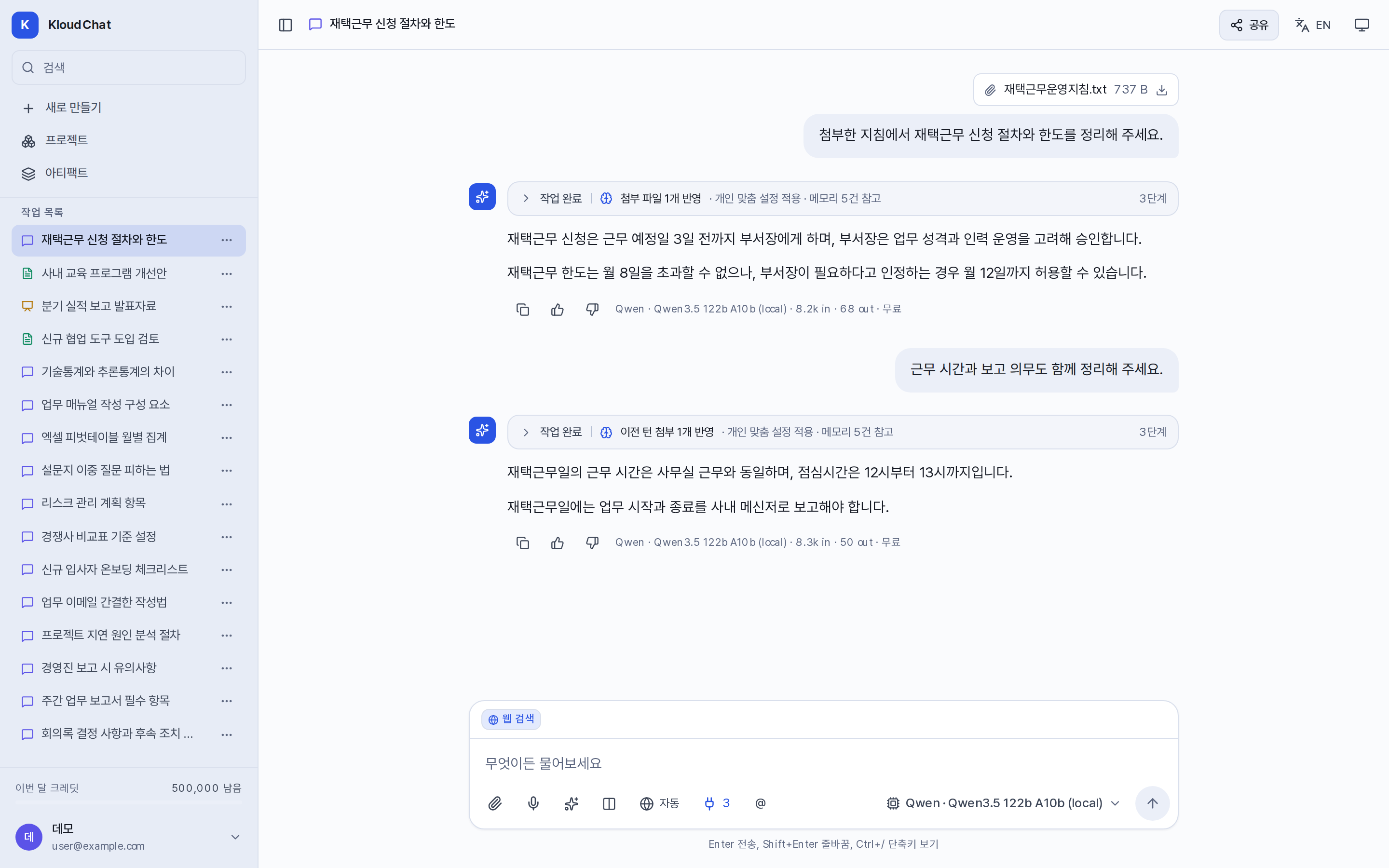
A conversation with a file attached. Below the answer are the file and the passage it drew on.

Settings that cut repetitive work

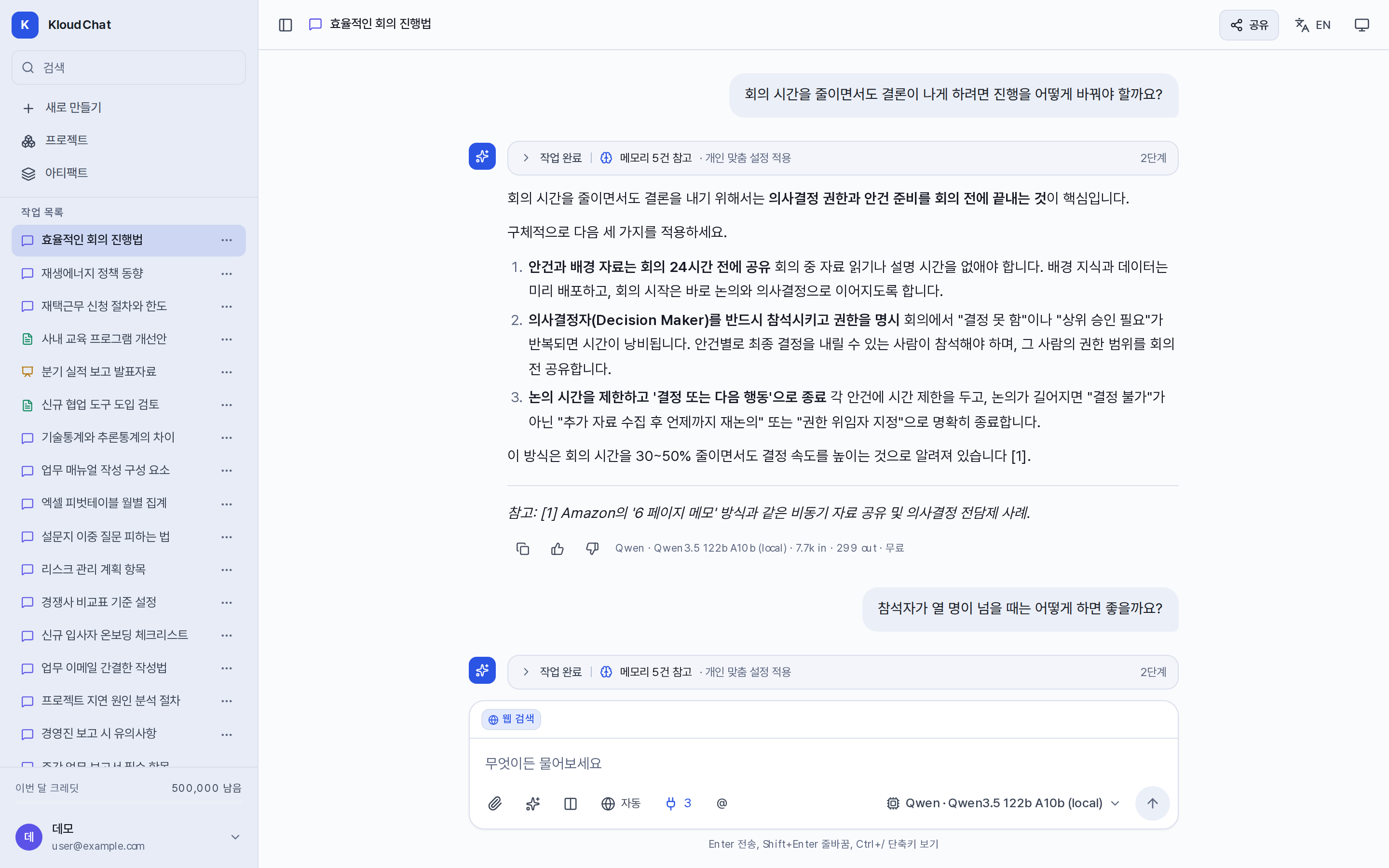
Group the reference material and instructions you reuse into a project, and store in memory what you would otherwise explain every time. With an agent that already has a role, and with starting points, you stop rewriting the same request.

You can see how far your data goes

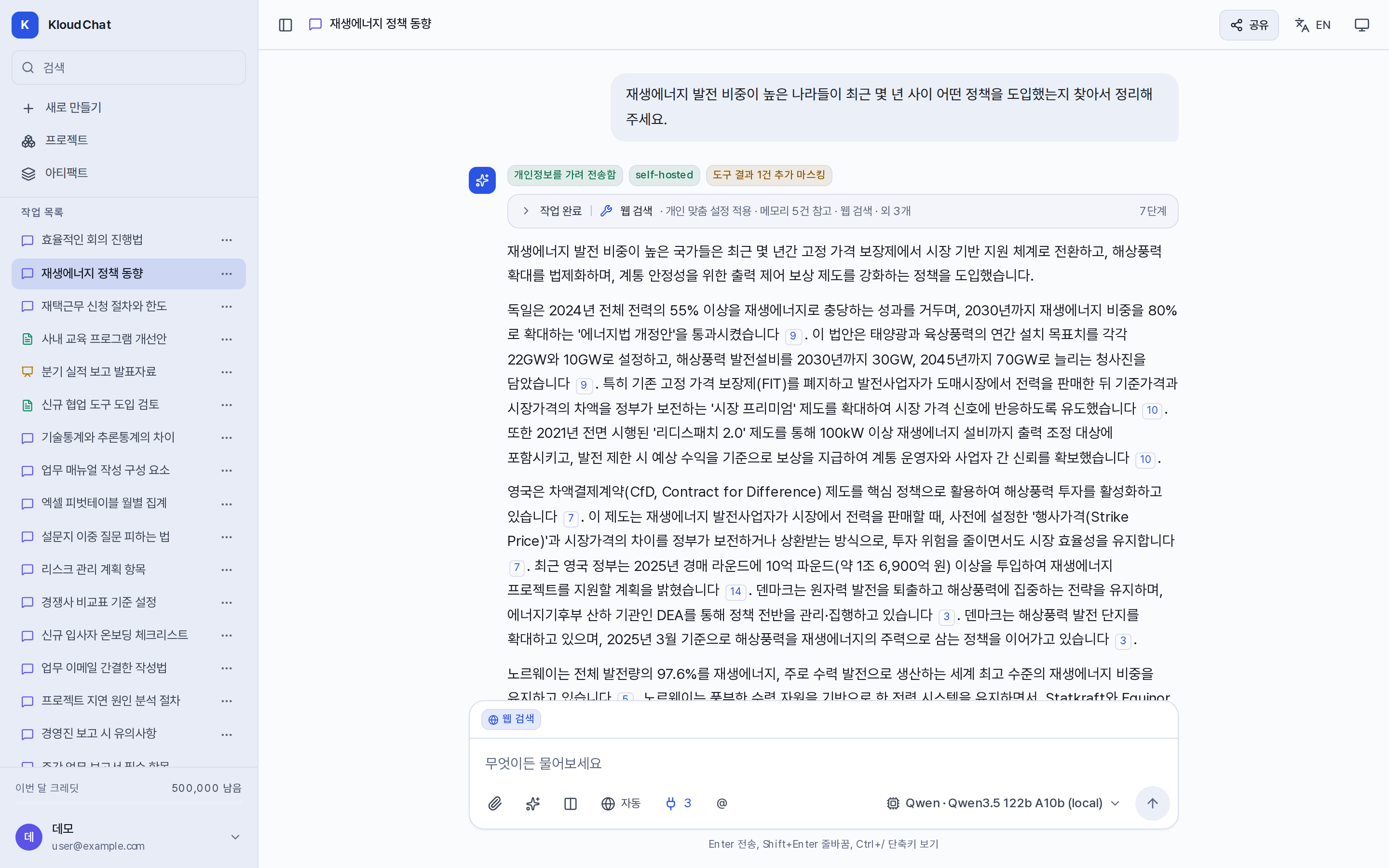
Every model carries a data boundary label. When personal data is detected, you can mask it, or switch to a model that runs entirely inside your organization.

Finish with a report or a slide deck

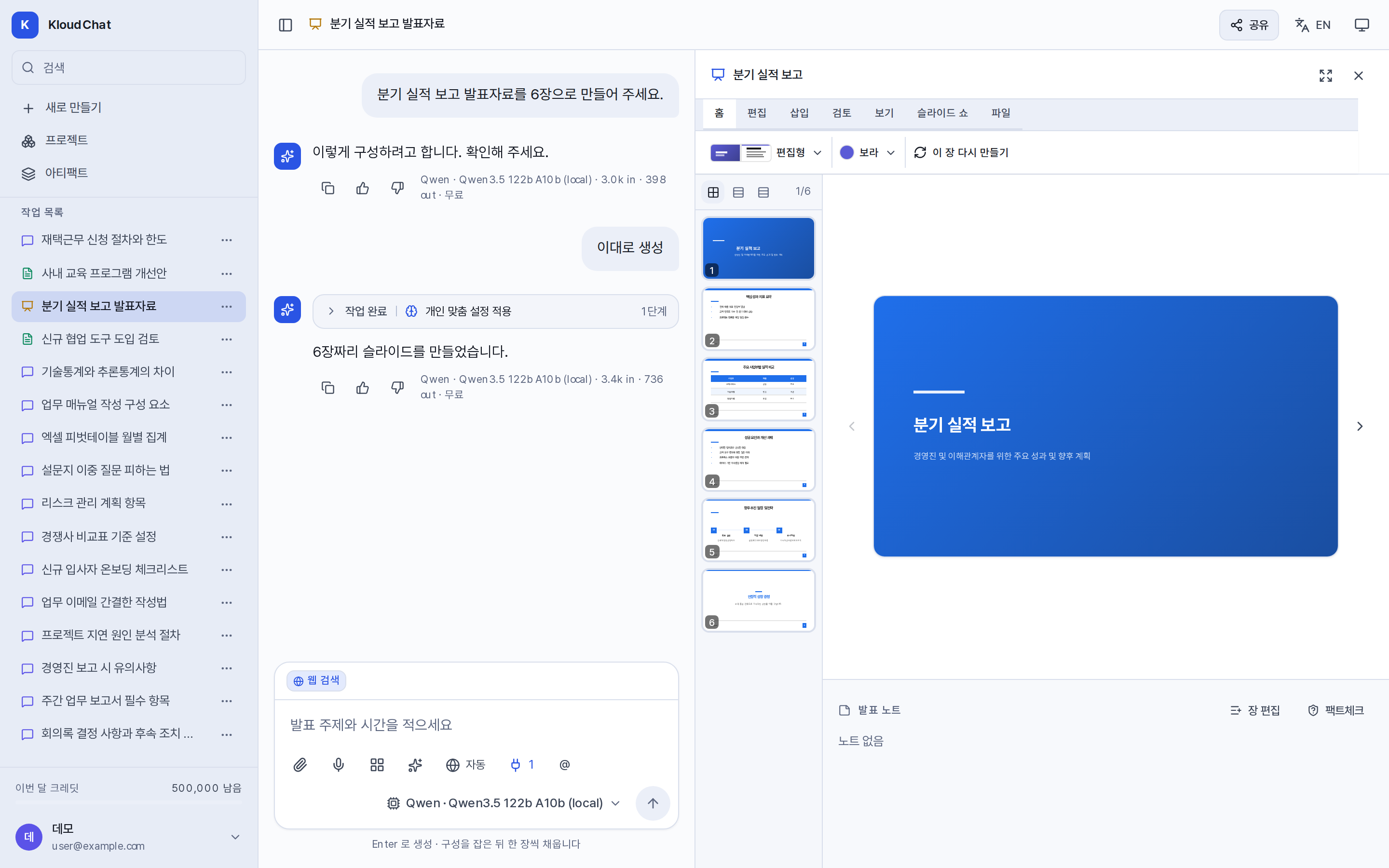
The structure is confirmed first, then the text is written section by section, or slide by slide. Edit it in the panel, run the review and fact check, and export to PDF, Word, Hangul, or PowerPoint.

The slide panel: the list of slides on the left, the slide in the middle, and the ribbon above with its Edit and Review tabs.

What you can attach, what you can export

Upload what you already have, as is, and get the result back in the format you need. One file can be up to 200MB.

Files you can attach

Documents
PDF, Word, Hangul, PowerPoint, Excel
Text and code
txt, md, csv, json and most code files
Images
PNG, JPG, GIF, WebP. Only on models that recognize images
Audio and video
mp3, wav, mp4. Where speech transcription is connected

Formats you can export

Reports
PDF, Word, Hangul, Markdown
Slide decks
PowerPoint, PDF, text with speaker notes

Scanned images and the older Office formats (.doc, .ppt, .xls) cannot be read. The exact conditions are in Attaching files.