Attaching files
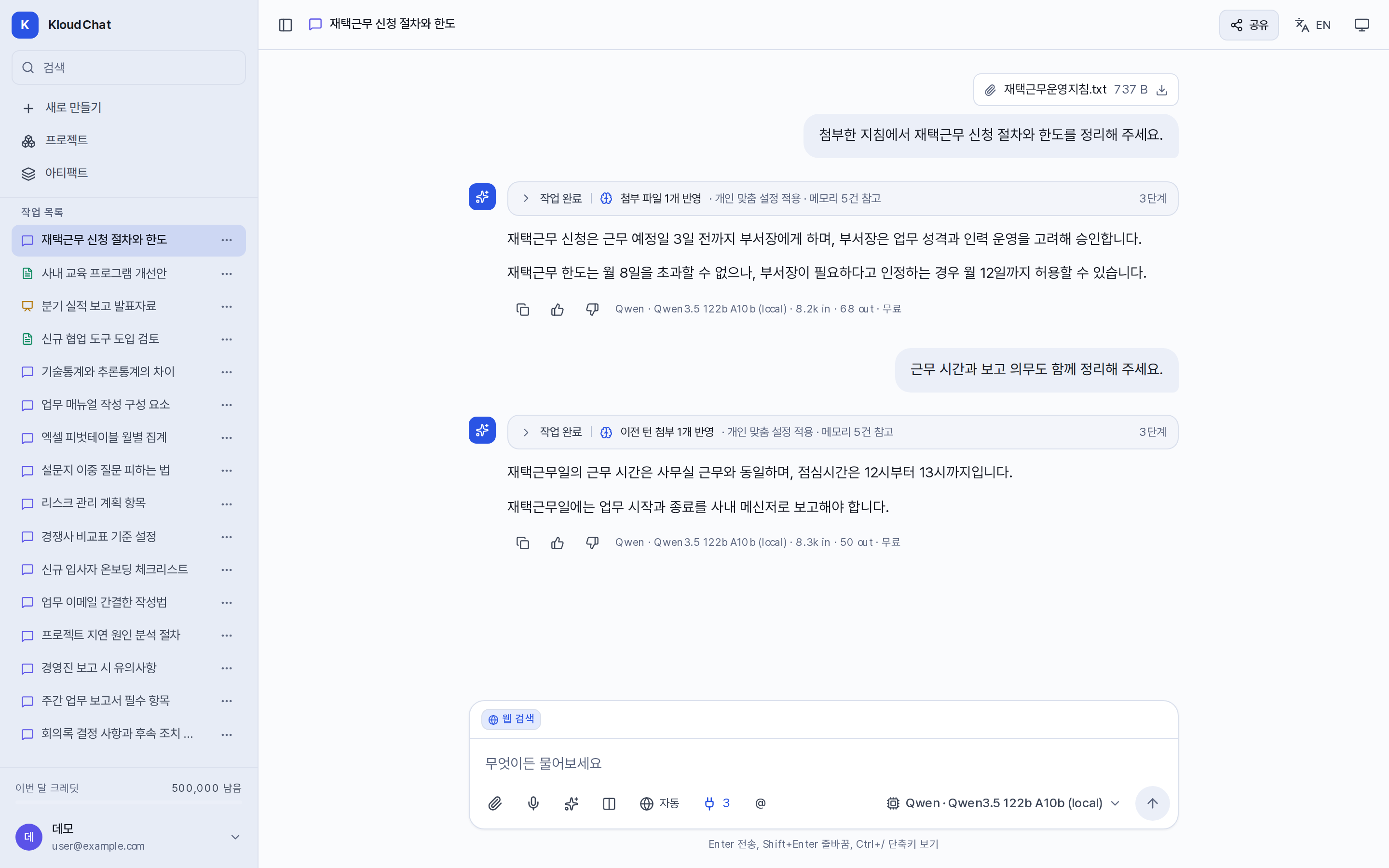
Attach files with 📎 in the composer, and the model answers from their content. You can attach several files at once, and you can drag and drop them or paste them in. The Images and Audio/Video screens do not offer attachments.
Supported formats
| Category | Formats | Conditions |
|---|---|---|
| Documents | PDF, Word (.docx), Hangul (.hwp, .hwpx), PowerPoint (.pptx), Excel (.xlsx) | The file must contain text. Scanned images are not recognized. |
| Text and code | .txt, .md, .csv, .tsv, .json, and most code files | Read as text. |
| Images | PNG, JPG, GIF, WebP | 4MB or smaller. Sent only to strict-local models that support image recognition, marked 👁 in the list. |
| Audio and video | mp3, wav, mp4, and similar | 25MB or smaller. Converted to text and read when the administrator has connected speech transcription. |
The maximum size for a single file is 200MB. Older Office formats (.doc, .ppt, .xls) are not supported. A file that could not be read appears as Unread attachment in the processing steps of the answer.
How long an attachment is referenced
An attached file stays available to later requests in the same conversation. It appears in the processing steps as Attachment from an earlier turn.
- When a file is too large to process at once, only the parts relevant to your question are selected and sent. Ask something such as "Tell me what Article 7 says" and the text around that article is sent.
- If the answer is not in the part that was sent, the model searches inside the file with the Find in files tool.
- The processing steps mark each attachment as used, truncated, or omitted.
The Reports and Slides screens do not carry over attachments from earlier requests, so attach the material for the document to that request directly. Files attached in another conversation are not referenced either. To use the same material in several conversations, register it in a project.
Improving recognition accuracy
- State exactly what you are looking for. "Summarize this file" is less accurate than "List only the remote work application steps from this file".
- Attach table-heavy material as Excel or CSV rather than PDF. It is read far more accurately that way.
- For an attached Hangul file (.hwpx), select Open as document on the file chip to convert it straight into an editable report. The conversion calls no model, so it uses no credits.
Attaching images
Images are sent only to strict-local models that support image recognition. The personal data check reads text only, so images never go to a model that may send data outside the organization. If you select any other model, the file is attached but the model cannot see its content. Images from earlier requests are not sent again, so attach the image again to ask more about it.