Memory
Memory holds information to be used across conversations, not just one. It stores your affiliation, tasks in progress, notation rules, and similar details.
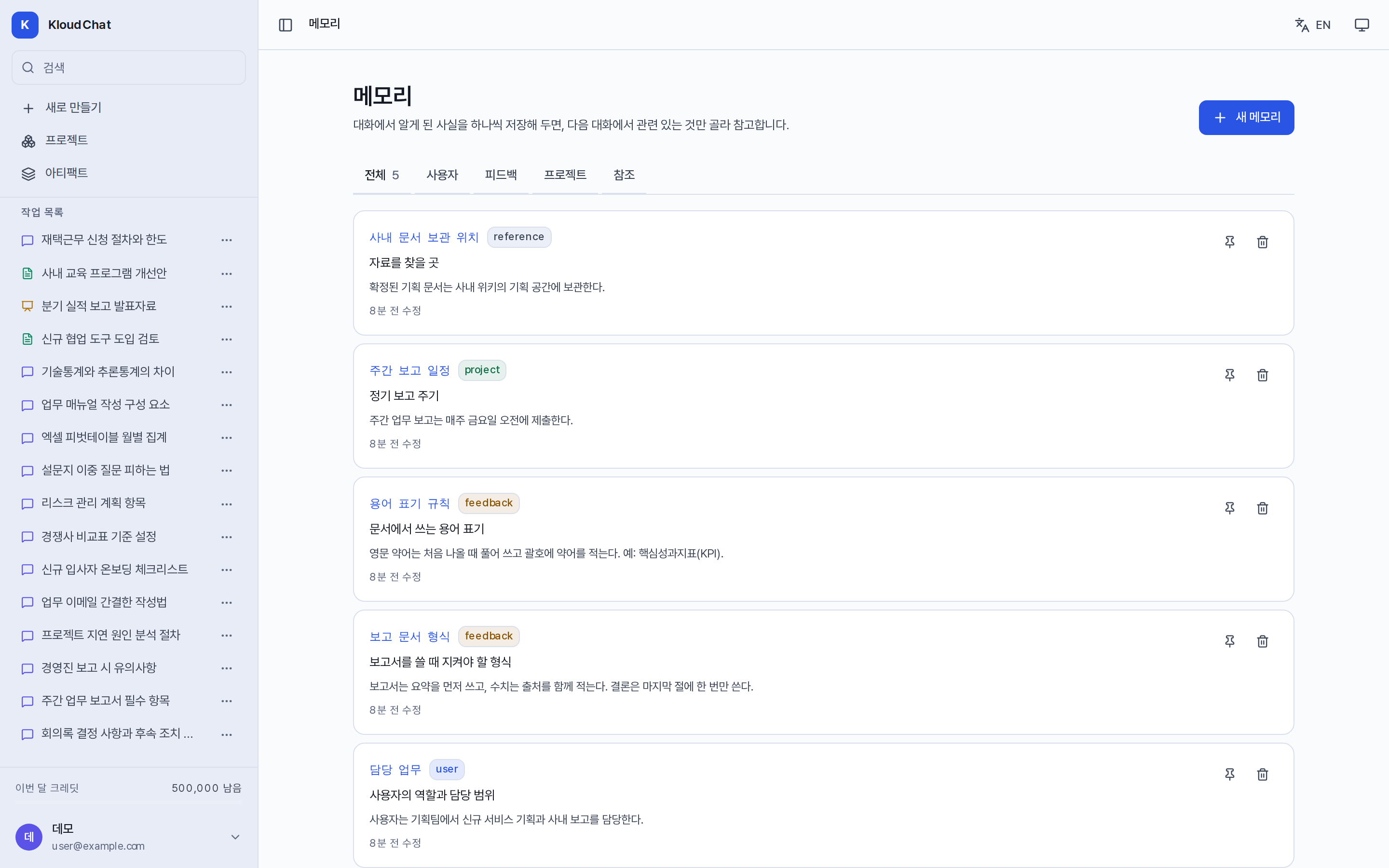
How to save
- Automatic saving: Turn on Save memory automatically under Settings → Preferences. Each time an answer ends, the system selects and saves content that stays valid. The default is off, and content already saved is not saved twice. When something is saved, "n memories saved" appears at the bottom of the answer.
- Adding directly: Enter it in the account menu → Memory → New memory.
- Project memory: Manage it in the Memory tab of the project detail screen. Conclusions that an agent leaves through Share note are also saved there.
Fields
| Field | Description |
|---|---|
| Name | Use lowercase English letters and hyphens. Other memories can reference it in the form [[name]]. |
| Type | Choose from user, feedback, project, and reference. |
| Description | Describe in one line when it should be referenced. |
| Scope | Set it to global (all conversations) or to a single project. |
| Pinned | A pinned memory is delivered first to every conversation. |
How memory is delivered
Each request delivers up to 40 items, based on pinned items and recent items. The processing steps of the answer show "n memories referenced". Beyond 40 items the oldest ones are excluded, so delete memories you do not use.
Information saved incorrectly can be edited on the Memory screen. If About me in Settings and the content of memory differ, answers can become inconsistent, so keep them aligned. Memory is not included in share links.