Projects
A project is a workspace that binds materials, instructions, and conversations together. Use it to reference the same materials from several conversations, or to avoid entering common rules every time.
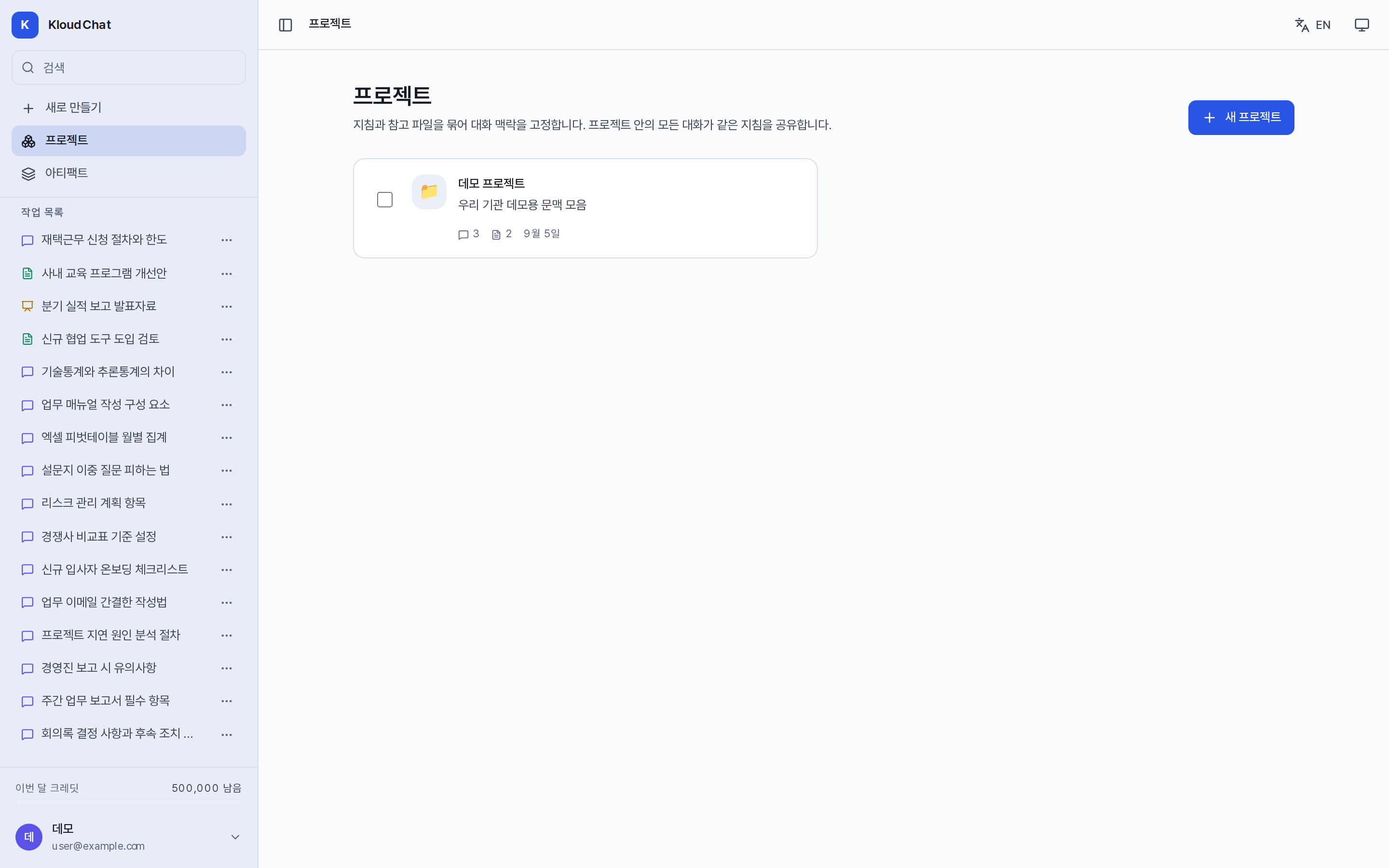
Creating
Go to the sidebar → Projects → New project, then enter a name, a description, and project instructions. After creation, the detail screen lets you set the icon, the design system, and the default format for each screen (reports, slide decks).
Tabs
| Tab | Function |
|---|---|
| Conversations | Start a new conversation in this project, and add existing conversations to the project or remove them from it. |
| Knowledge | Add files and register addresses as web material. Web material stores the content as it was at registration time. It shows how many tokens each file uses and how much of the context it takes up. You can check the recognized content, download the original, and delete it. |
| Skills | Designated recommended skills are shown first in the input box of this project. |
| Memory | Memory shared at the project level. Conclusions that an agent leaves through Share note also accumulate here. |
How knowledge is delivered
Project knowledge is delivered automatically to every conversation in the project. If the volume fits within the processing range, all of it is delivered. If it exceeds the range, only the parts related to the question are selected and delivered. If even the selected volume exceeds the range, only the file list is delivered. The processing steps of the answer show how much of it was used. In reports it is cited with source numbers.
Instructions
Describe rules that apply to every conversation, such as "answer in polite language" or "give English terms alongside". They take precedence over personalization settings.
Deleting a project
Deleting a project deletes its instructions and knowledge files. Conversations are detached from the project and kept, and outputs and memory also remain.
Comparison with conversation attachments
| Item | Conversation attachment | Project knowledge |
|---|---|---|
| Scope | That conversation | Every conversation in the project |
| Retention | Until the conversation is deleted | Until the file is deleted |
| Share link | Exposed only to the extent that the answer quotes it | Not exposed |