Settings
Settings, in the account menu, has five tabs.
Profile
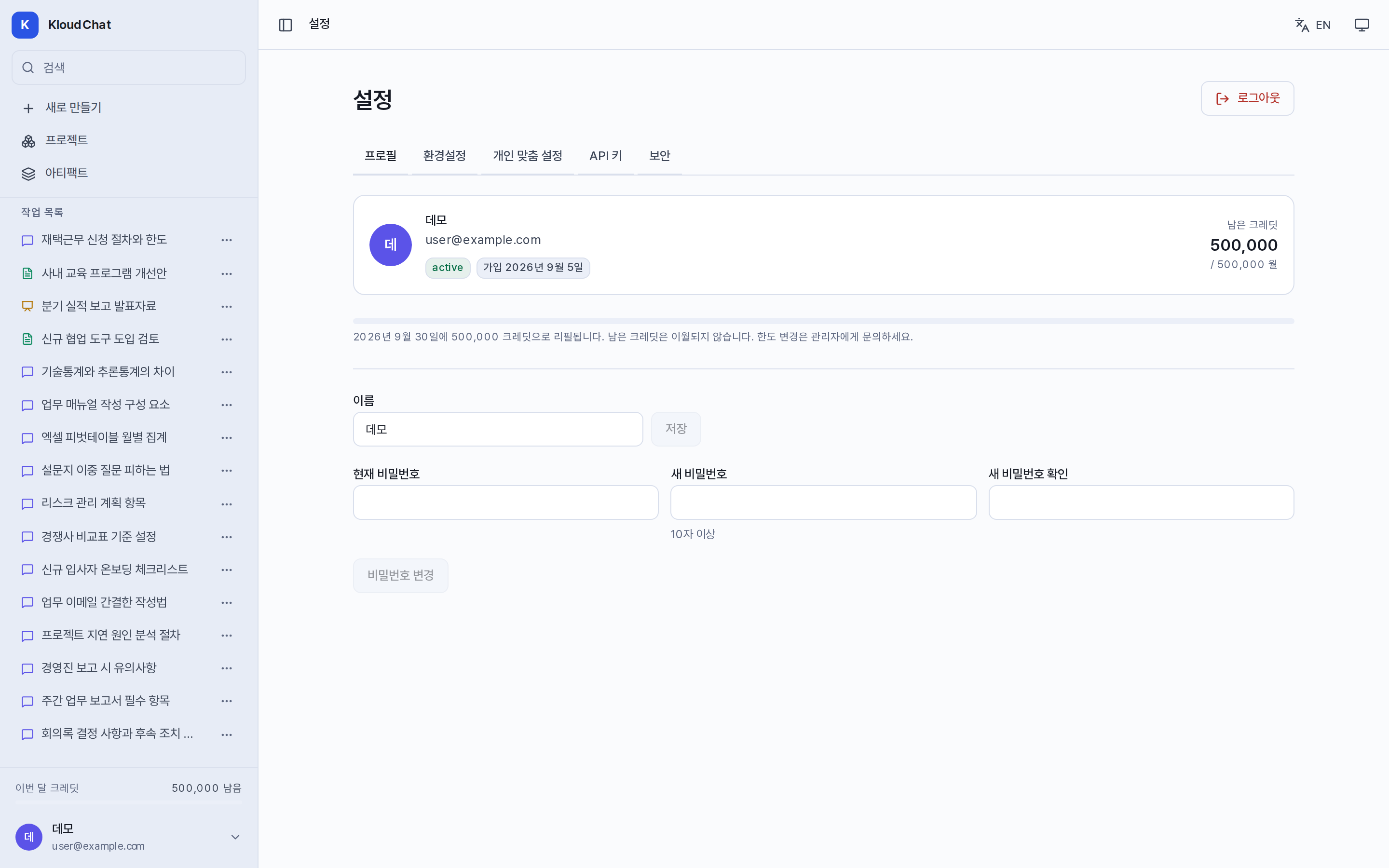
You can change your name and your password. To change the password, enter the current password and a new password of at least 10 characters. Changing it signs out the sessions on your other devices. You can check your role and join date, the remaining credits and the allowance for this month, and the next refill date. Credits are reset to the allowance on the first day of each month and do not carry over. The email address cannot be changed.
Preferences
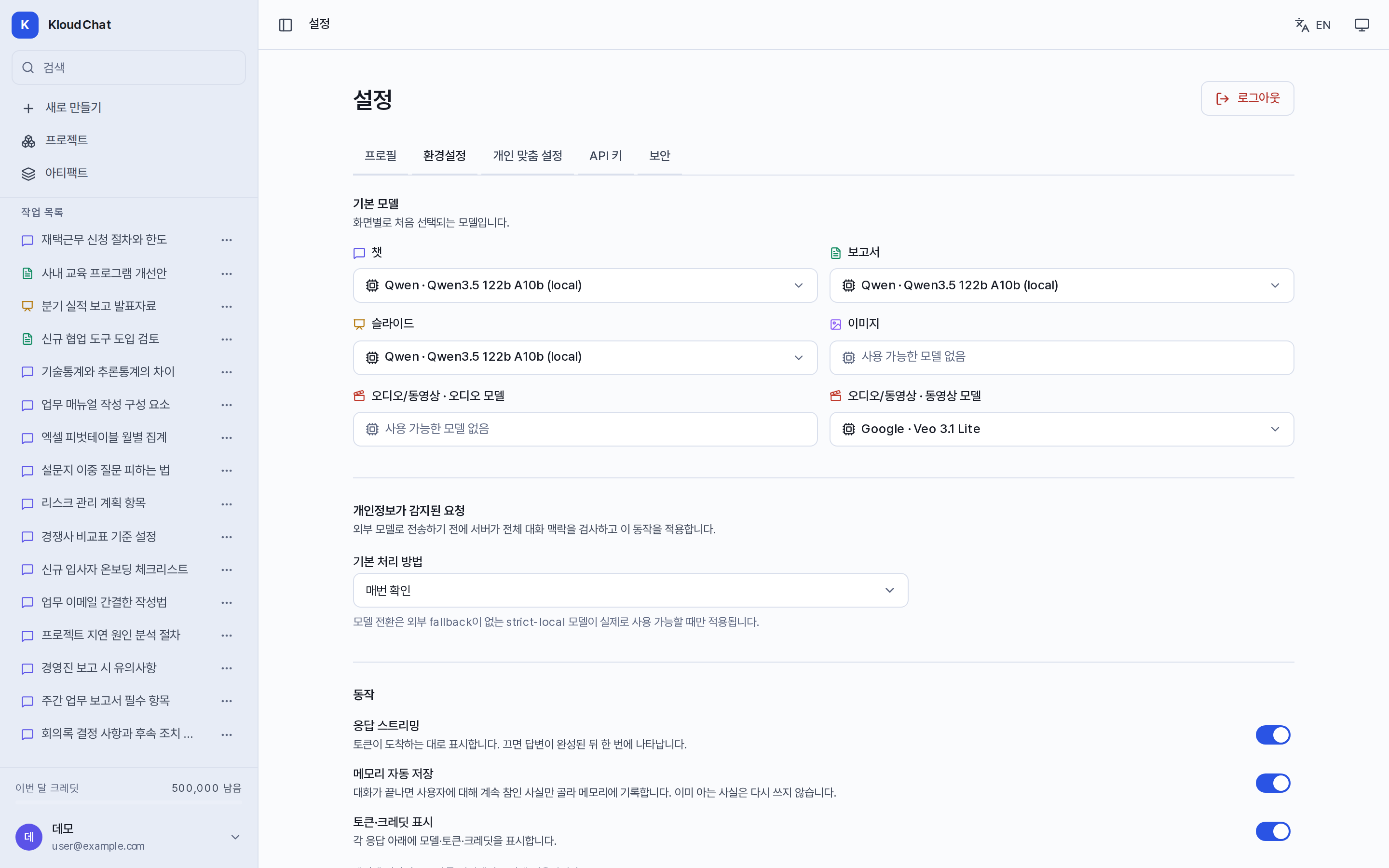
| Item | Description |
|---|---|
| Default model per screen | The model applied to new conversations on each screen, such as Chat, Reports, and Slides. It is saved to the account, so it applies the same way on every device. |
| A request with personal data in it → What to do by default | Choose from asking every time, switching to strict-local, masking, and sending the original text (when the administrator allows it). Privacy |
| Response streaming | When it is off, the answer is shown all at once after it is complete. |
| Save memory automatically | Automatically saves information that stays valid, for each answer. |
| Token and credit display | Sets whether usage is shown at the bottom of the answer. |
The theme and the language are switched with the buttons at the top right of the screen, not in this tab.
Personalization
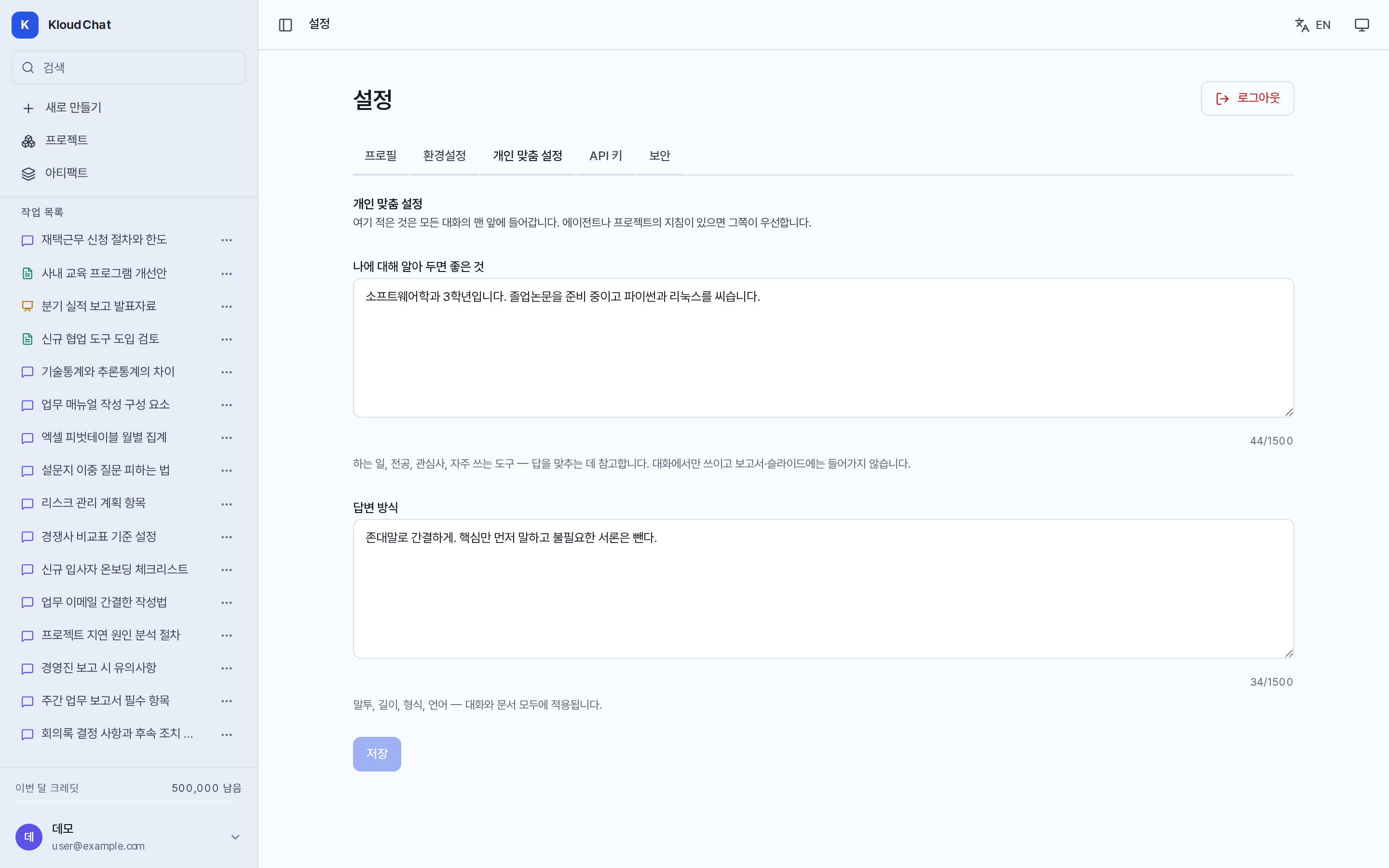
- Things worth knowing about me: Describe your affiliation, your area of work, your level of understanding, and similar details. It applies to conversations only and is not delivered to reports or slide decks.
- Answer style: Describe the length, the tone, and the format. It applies to both conversations and documents. Write entries such as "no introduction", "always include an example", or "give English terms alongside".
The settings apply from the next conversation onward. If an agent or a project has instructions, those take precedence. You can open the tab directly with Ctrl+Shift+I, and when it is applied the processing steps of the answer show Personalization applied.
API keys
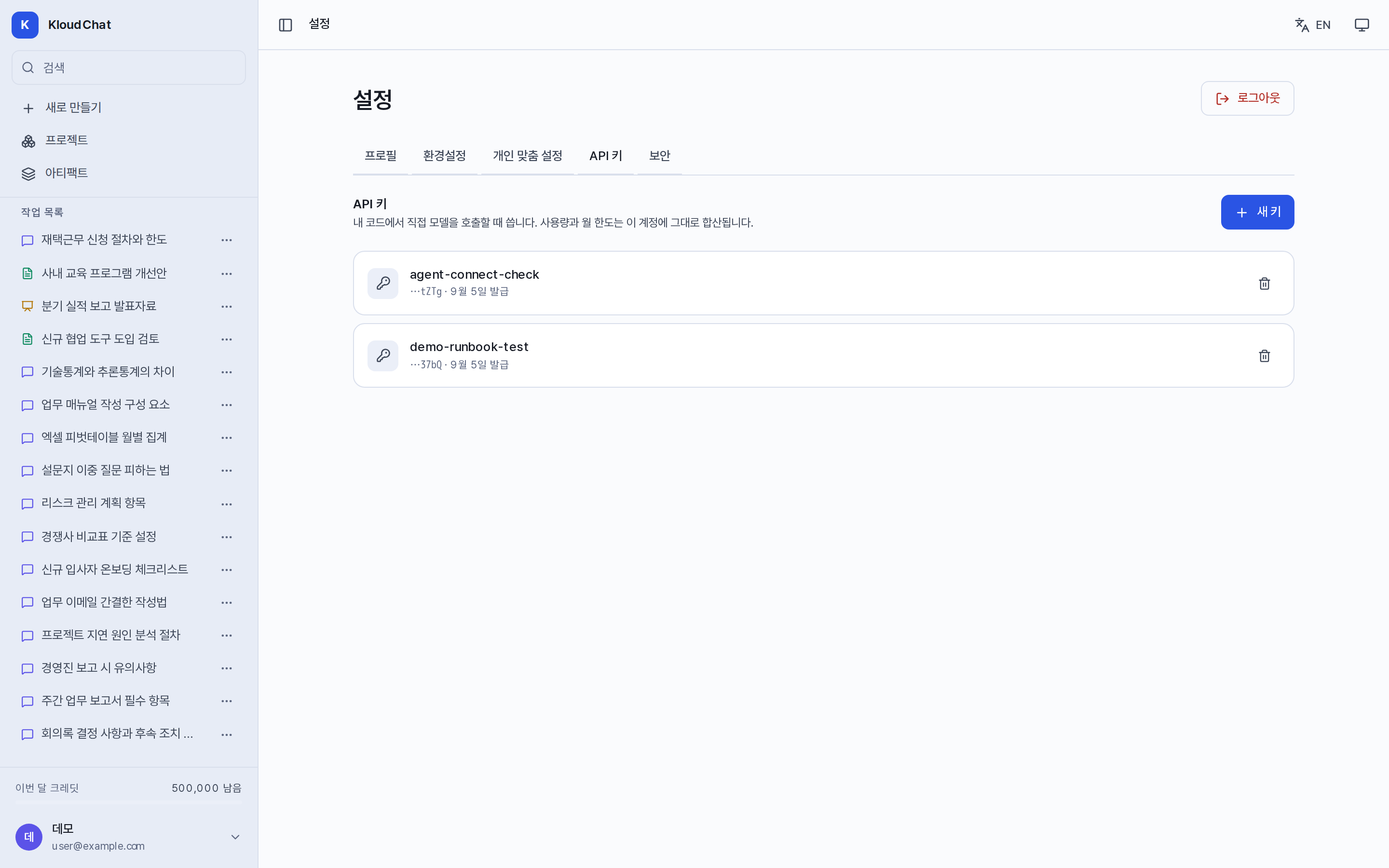
Issue keys for use in external tools or scripts. You can issue up to 10 keys per account. The key value is shown only once at issue time, so copy it immediately. In the list you can check the issue date and the last use time. Revoke blocks a key immediately. The allowed model limits set on the account apply to keys in the same way. Integrating the API and coding tools
Security
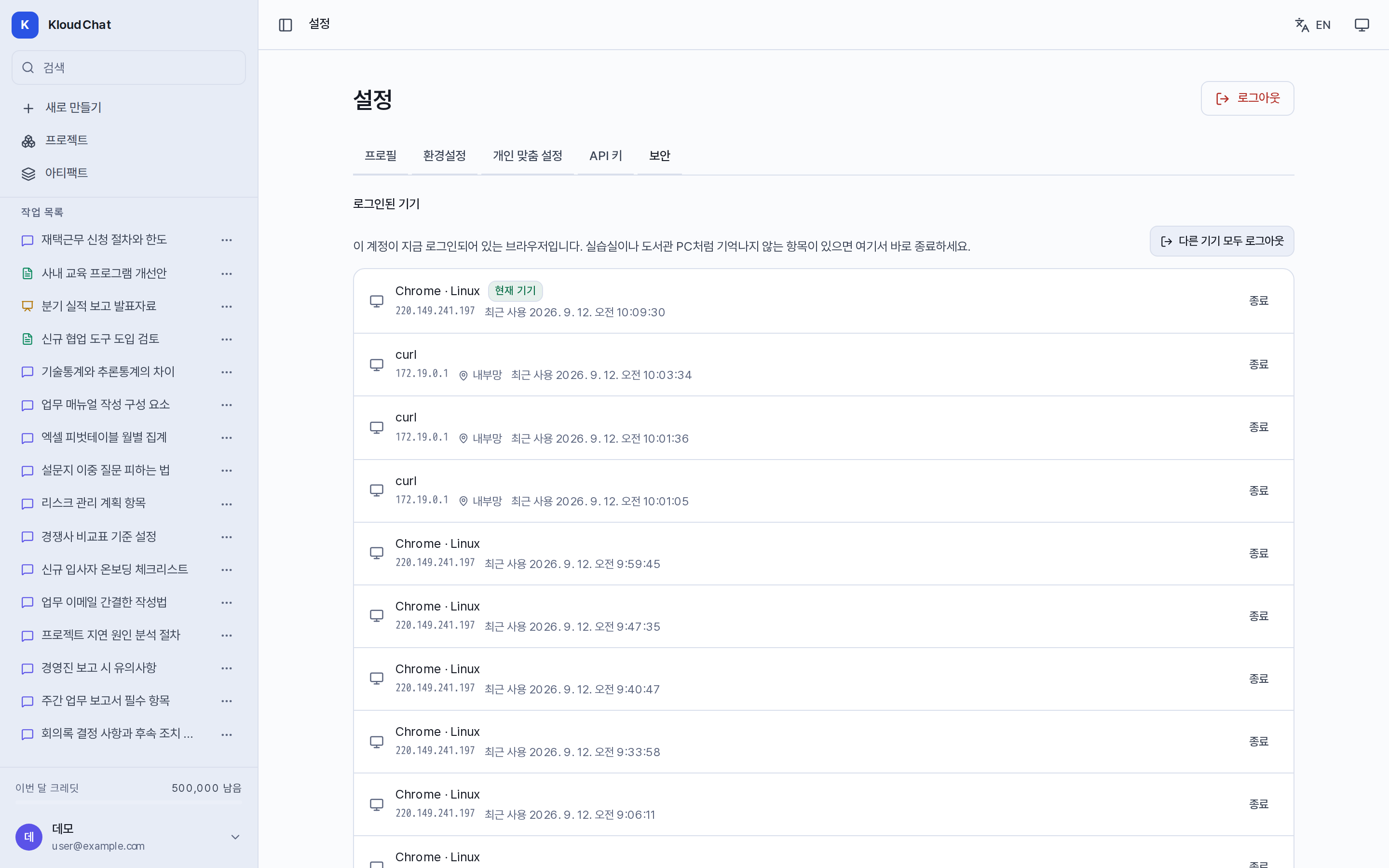
- Signed-in devices: Shows the browser, the IP, and the last use time. The current device is marked, and individual sign-out and Sign out all other devices are provided. Calls made through an API key are not shown in this list.
- Sign-in history: Shows the last 100 sign-ins, failed sign-ins, password changes, and keys issued, together with the IP, the region, and the browser. Region information is shown only when the administrator has configured location data, and private networks are marked as "internal network".
- Two-factor authentication is not provided. Use a sufficiently long password and sign out the devices you do not recognize.