Artifacts
Outputs generated in a conversation, such as reports, slides, charts, code, web pages, and images, are called artifacts. They are collected on the Artifacts screen in the sidebar.
Output panel
- The panel opens automatically when an output is generated. If you closed it, reopen it with a button such as Open the report or Open the deck at the top right of the conversation screen.
- Every panel shows the version and the edit time, and lets you copy, download, adjust the width (double-click to reset), switch between narrow, wide, and document-only views, and close the panel. If the screen is narrow, the panel is shown over the conversation.
- Code and web pages support the Preview and Source tabs and zooming in and out. A web page runs in an isolated frame, so features that save values do not work.
- In Chat too, a request such as "organize this into a table and turn it into a document" or "draw a chart from this data" generates an output in the panel.
Export formats
| Type | Formats |
|---|---|
| Report | PDF, Word (DOCX), Hangul (HWPX), the Markdown source, print |
| Slides | PowerPoint (PPTX), PDF, text (with notes) |
| A document with a format applied | PDF, DOCX/PPTX, HWPX, HTML, text |
PDF reproduces the design as it is, and DOCX and PPTX put an editable structure first, so some visual elements of the format may differ.
Gallery
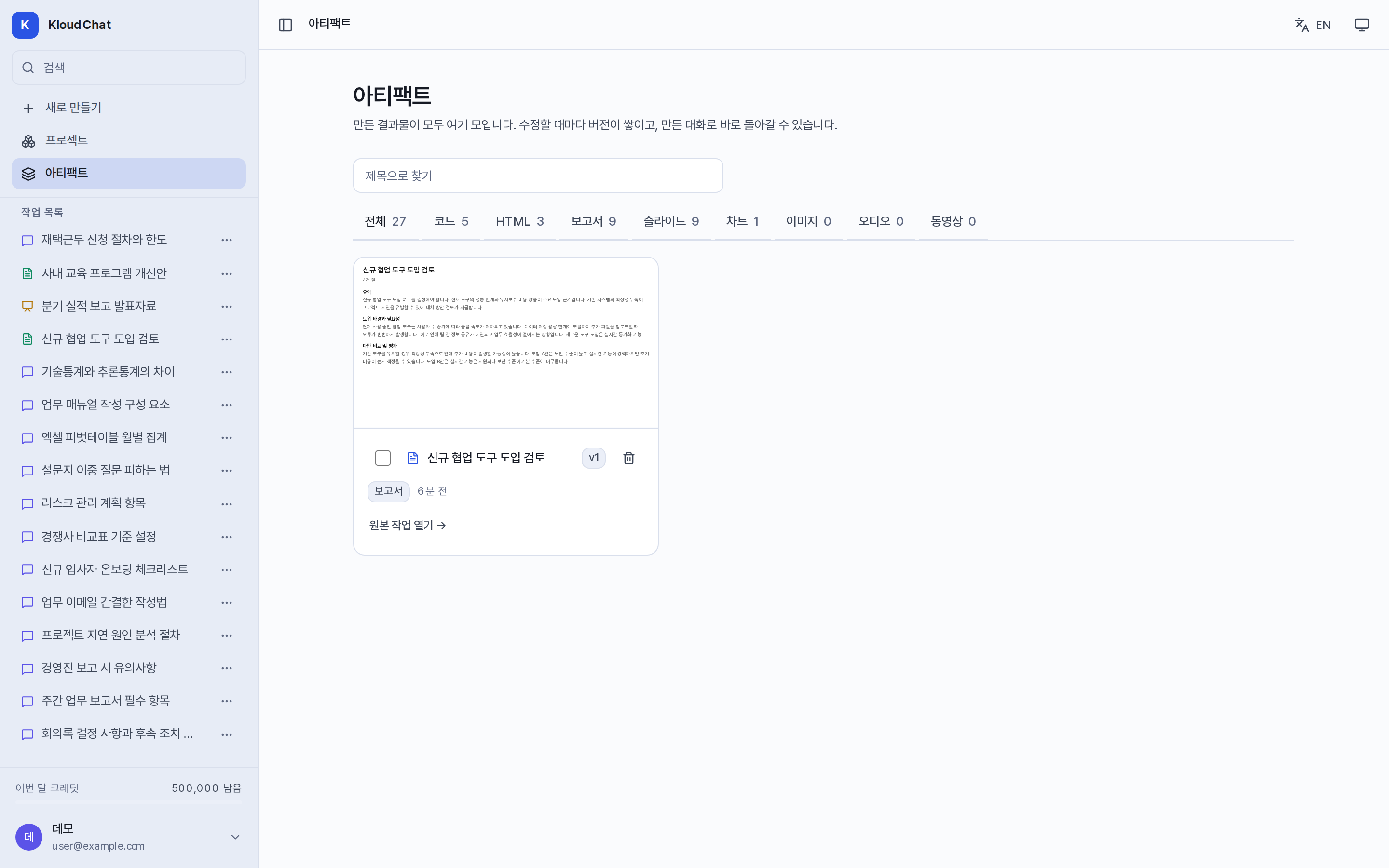
See the full list under Artifacts in the sidebar. It provides tabs by type (all, code, HTML, report, slides, chart, image, audio, video) and a title search. Selecting a card opens it as a panel inside the gallery. To go to the conversation that generated it, use Open the original conversation on the card. Deleting from the gallery deletes the version history as well, but the conversation is kept.