Clusters
A cluster is one Kubernetes cluster running a gShare operator. The control plane holds the users, the money and the decisions; each cluster turns those decisions into pods and reports what actually happened.
| Page | What it covers |
|---|---|
| Nodes | Machines: cordon, drain, delete, liveness |
| Node pools | Reserving nodes for a tenant |
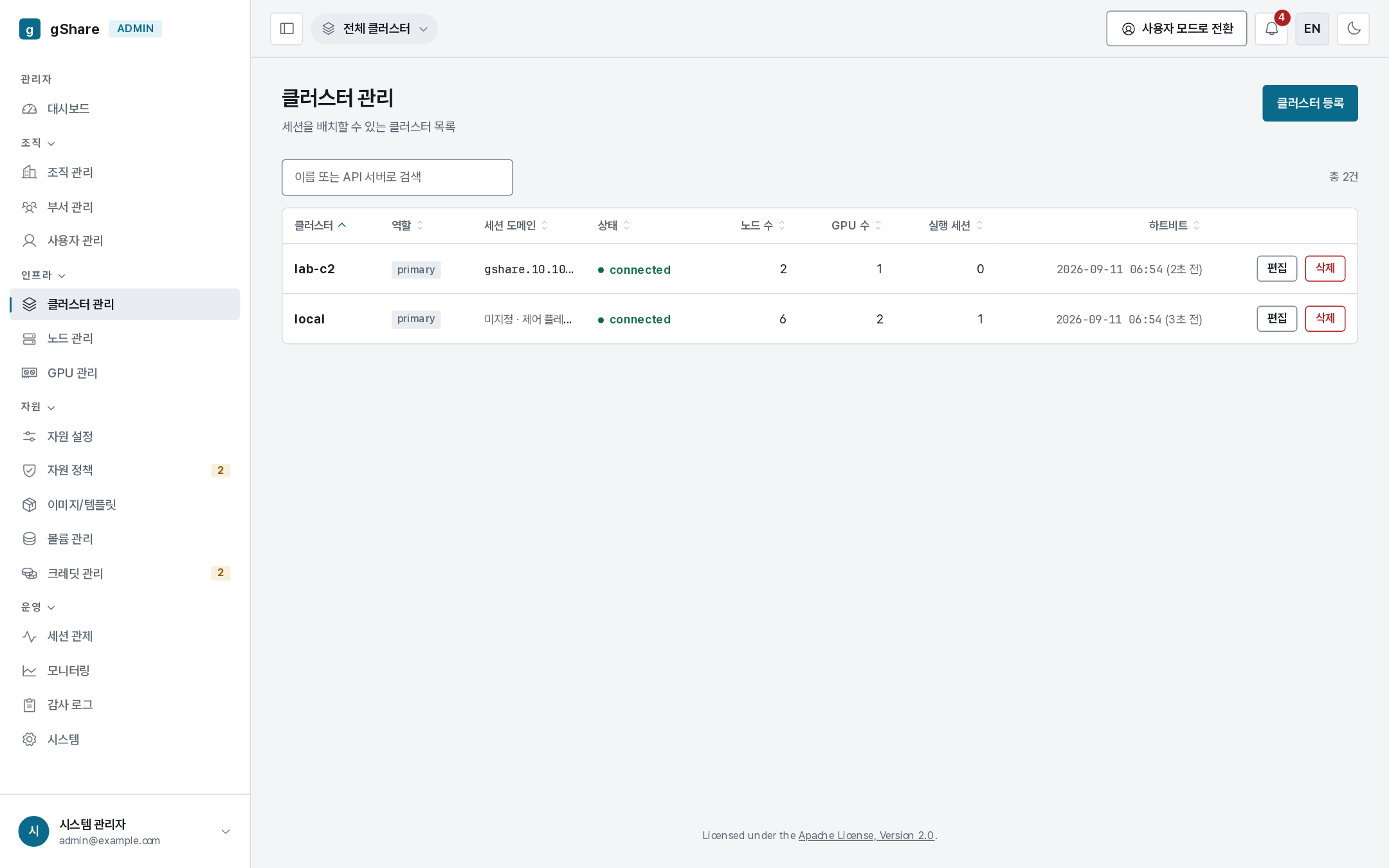
| Column | Meaning |
|---|---|
| Cluster | Name and id (clu_…) — the id the operator is deployed with |
| API server | The address the control plane applies session resources to |
| Session domain | The hostname this cluster's sessions are served on. Unset means the control plane's own domain |
| State | connected, or the last error from the connection probe |
| Nodes / GPUs / running | What it contributes to the fleet |
| Heartbeat | Age of the last inventory report |
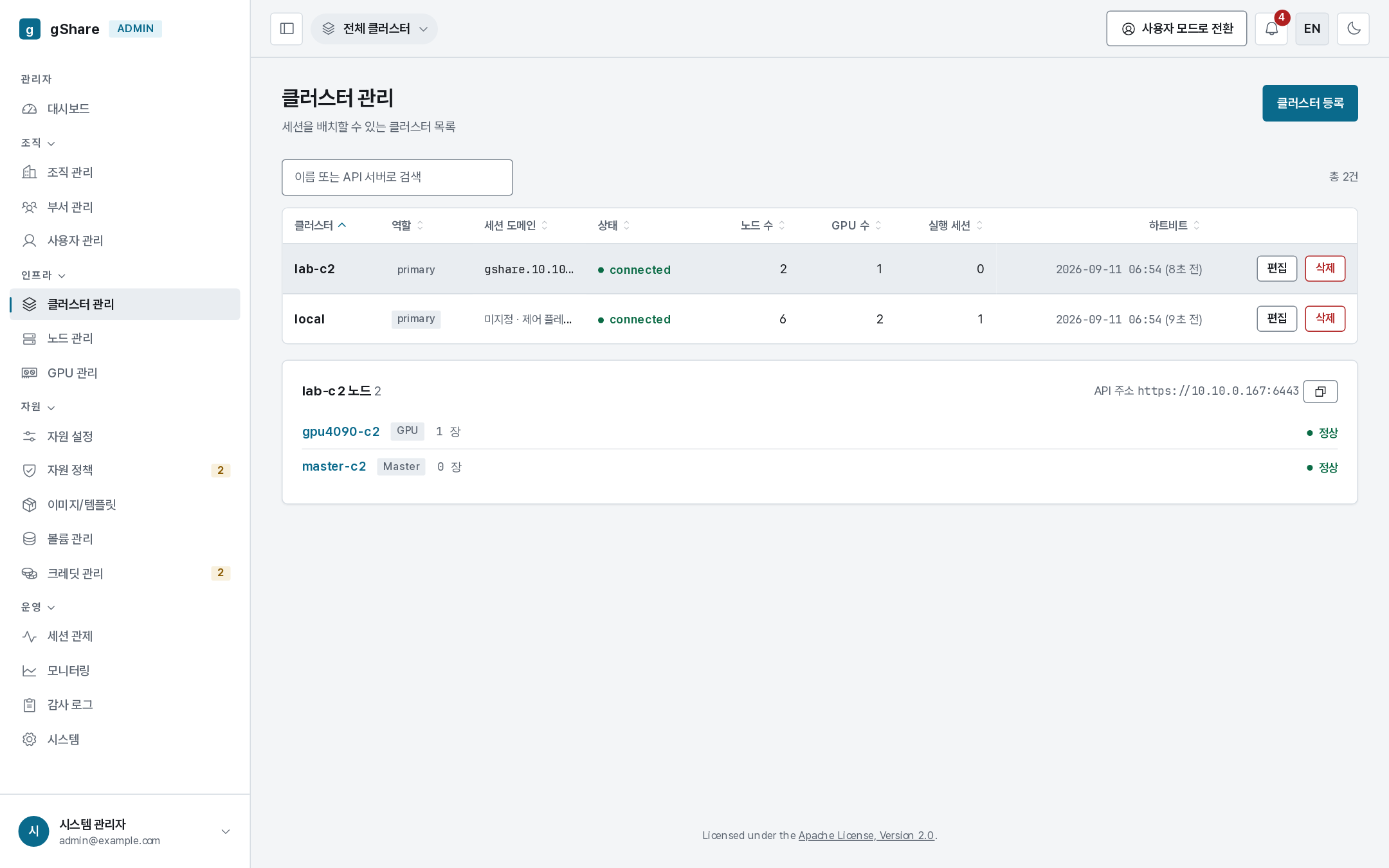
Clicking a row expands it to the cluster's nodes.
Registering
The control plane's own cluster registers itself at install (bootstrapLocalCluster). Adding
another is normally done with hack/attach-cluster.sh, which registers it and installs the
operator, HAMi, ingress and (optionally) the CSI driver in one pass — see
Multi-cluster.
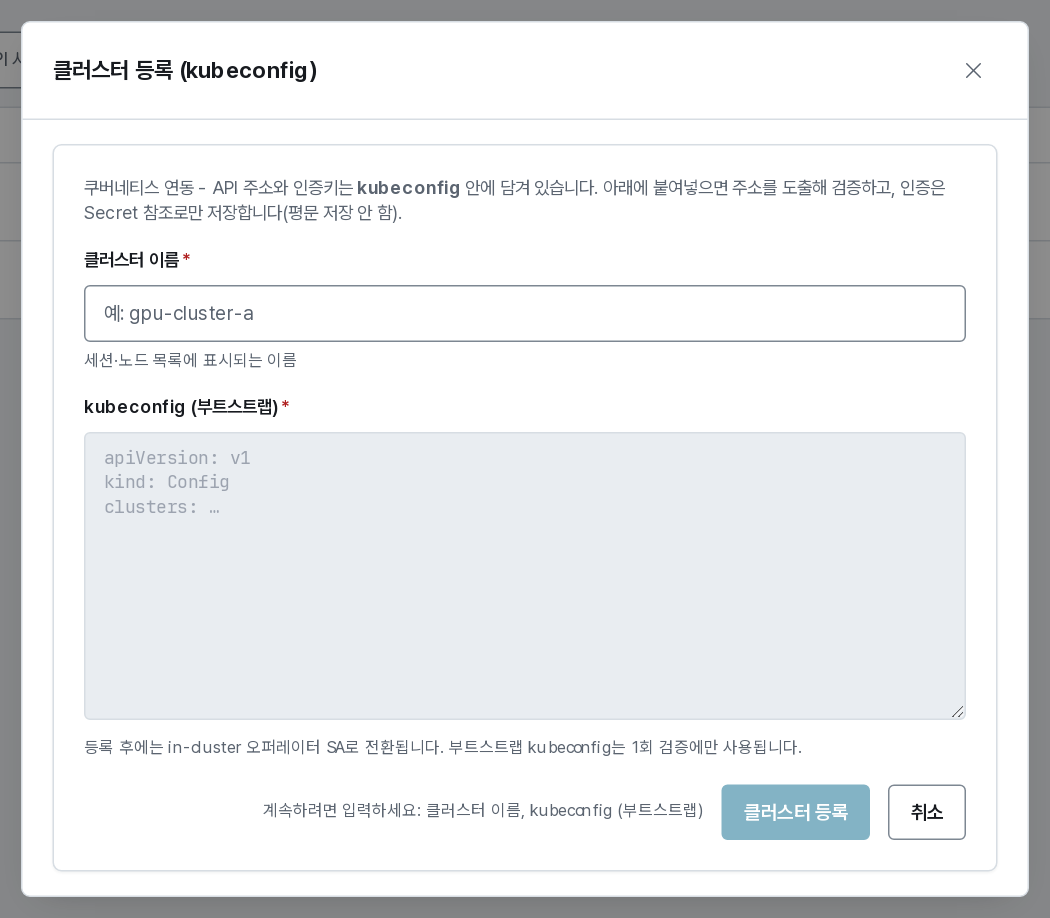
Registering by hand from this dialog takes a name and a kubeconfig. On submit the control plane
probes the cluster before accepting it: reachable API server, RuntimeClass nvidia, and
HAMi advertising nvidia.com/gpumem. A failed probe tells you which check failed.
Two things to get right:
- The kubeconfig's
server:must be reachable from the control plane's pods, not just from your laptop. A kubeadmadmin.confsaying127.0.0.1is the classic failure. - The cluster id is minted here. The operator on that cluster must be deployed with exactly
this
clusterId, or its inventory and status callbacks are refused.
The kubeconfig is never stored in plaintext in the database; only a secret reference is kept.
Session domain
Each cluster serves its own session URLs, because its own ingress routes to the pods. The
session domain must be the hostname that resolves to that cluster's ingress. It is set by
attach-cluster.sh --session-domain, or afterwards with
PATCH /api/v1/clusters/{id} (session_domain); the console shows it but does not edit it.
When it is unset, users are sent to the control plane's domain and every connect attempt 404s —
that single field is the most common multi-cluster mistake.
Editing
Edit on a row changes the display name, the role (primary or standby), and the API server address. The kubeconfig itself cannot be replaced in place — see below.
Deregistering
Removing a cluster is refused while live sessions or allocations exist on it. Once removed:
- its nodes, GPU devices and storage pools are retired from the console;
- the session history stays — the ledger references it;
- the operator on that cluster keeps running until you uninstall it, but its callbacks are refused.
To change a cluster's credential you deregister and register again, which mints a new id — so plan it with the operator's Helm values in hand.