Settlement report
Credits → Settlement report (platform administrator) is the accounting view: what was actually consumed over a period, aggregated by tenant, rather than the moment-to-moment balances the other tabs show.
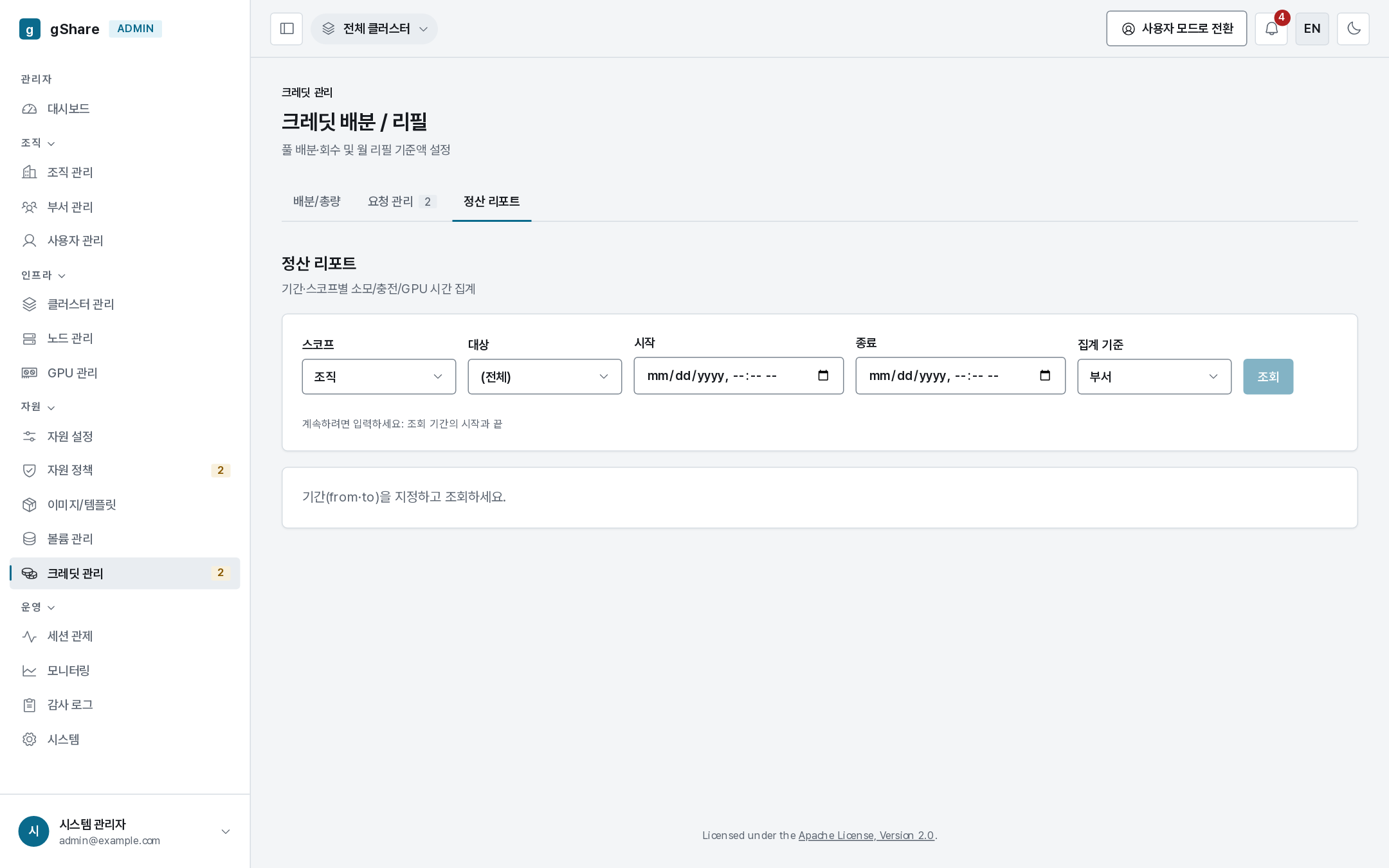
Running a report
- Period — a start and an end; nothing runs without both.
- Scope — the whole platform, one organization, or one group.
- Group by — offering (which GPU models the credits went to) or wallet (which people or pools).
- Run.
| Column | Meaning |
|---|---|
| Group | The organization, group, offering or wallet the row aggregates |
| Consumed | Credits actually charged in the period |
| Top-up | Credits issued into that scope in the period |
| GPU hours | Card-hours behind the consumption — the physical quantity the credits paid for |
The figures come from the same ledger as every wallet, so they reconcile exactly with what a user sees in their own transaction history.
What it answers
- Which organization or group actually spent the credits it was given, and which is sitting on an allocation it never used — compare consumed with what you allocated.
- What the credits bought: grouping by offering shows whether the spend went to the cards you expected.
- Cost per GPU-hour for a tenant, when you are deciding next period's allocation from what was really used rather than what was asked for.
For a per-action trail — who allocated, who approved, who reclaimed — use the audit log, which also exports to CSV.