Nodes
Every node the operators report, across every cluster.
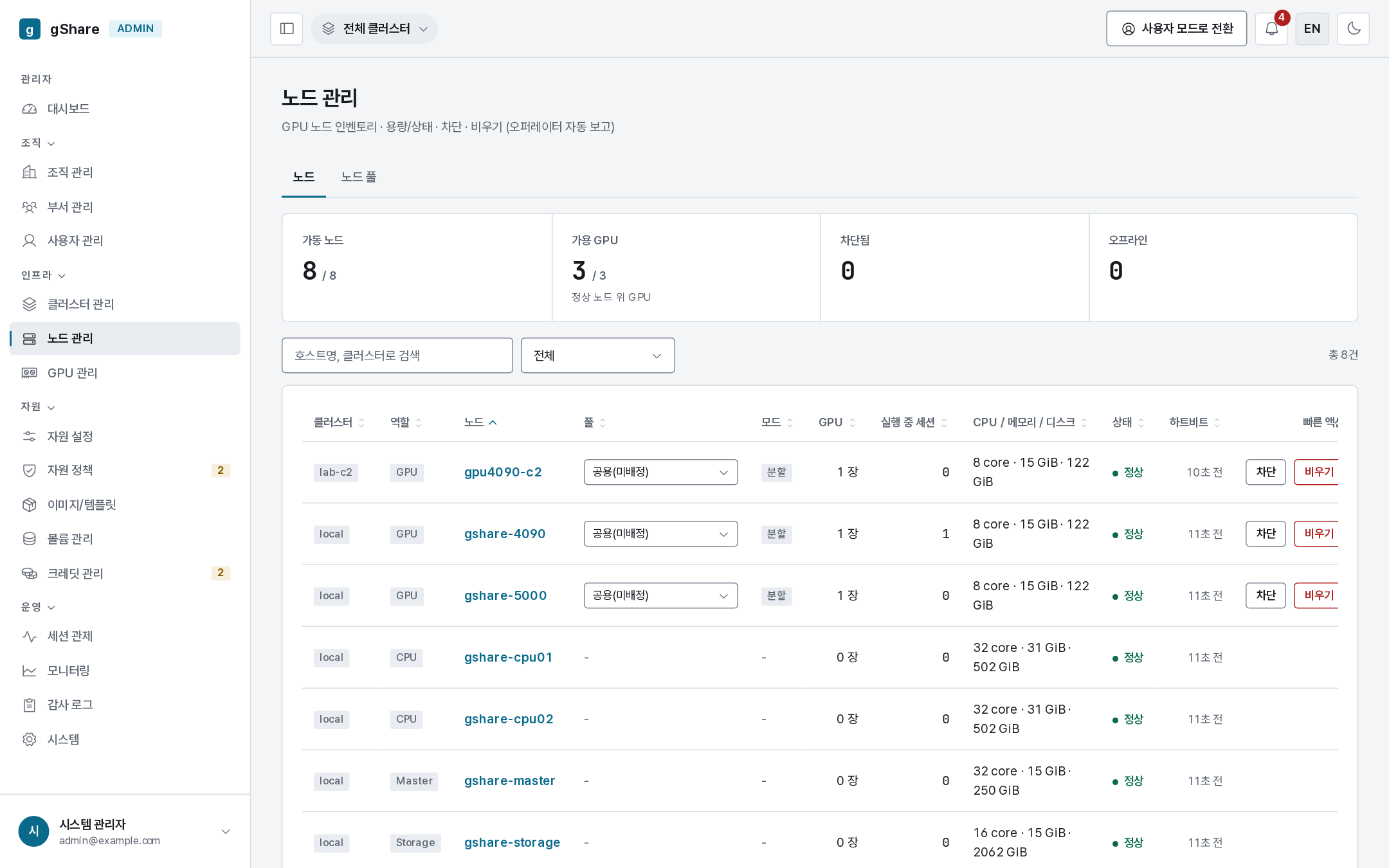
| Column | Meaning |
|---|---|
| Cluster / role | Which cluster, and GPU / CPU / master / storage |
| Node | Hostname, linked to its cards |
| Pool | The node pool it belongs to, editable in place |
| Mode | fractional or exclusive, from the node's label |
| GPU / running sessions | Cards, and what is on them |
| CPU / memory / disk | Host capacity |
| State | ready, busy, cordoned, offline |
| Heartbeat | Age of the last report |
Nodes are not registered from the console: the operator's inventory controller reports them, and the control plane upserts by (cluster, hostname). A new machine appears on its own within a minute of joining the cluster.
Liveness
A node that stops reporting for api.nodeStaleSec (5 minutes) is marked offline
automatically and returns to ready when reports resume. The operator reports the node's own
Ready condition, so a machine whose kubelet stops answering goes offline at once rather than
waiting out the timeout.
When a node goes offline its running sessions are ended (node_offline) and settled;
paused sessions are left alone to resume elsewhere. Every super_admin gets a notification on
each transition, so a machine that silently drops out is noticed without watching the screen.
Cordon
Cordon stops new placements. Sessions already running stay exactly where they are. The cordon is mirrored onto the Kubernetes node within about fifteen seconds, so nothing — not even a CPU session placed by kube-scheduler — lands back on it.
Use it before maintenance, and before draining.
Draining
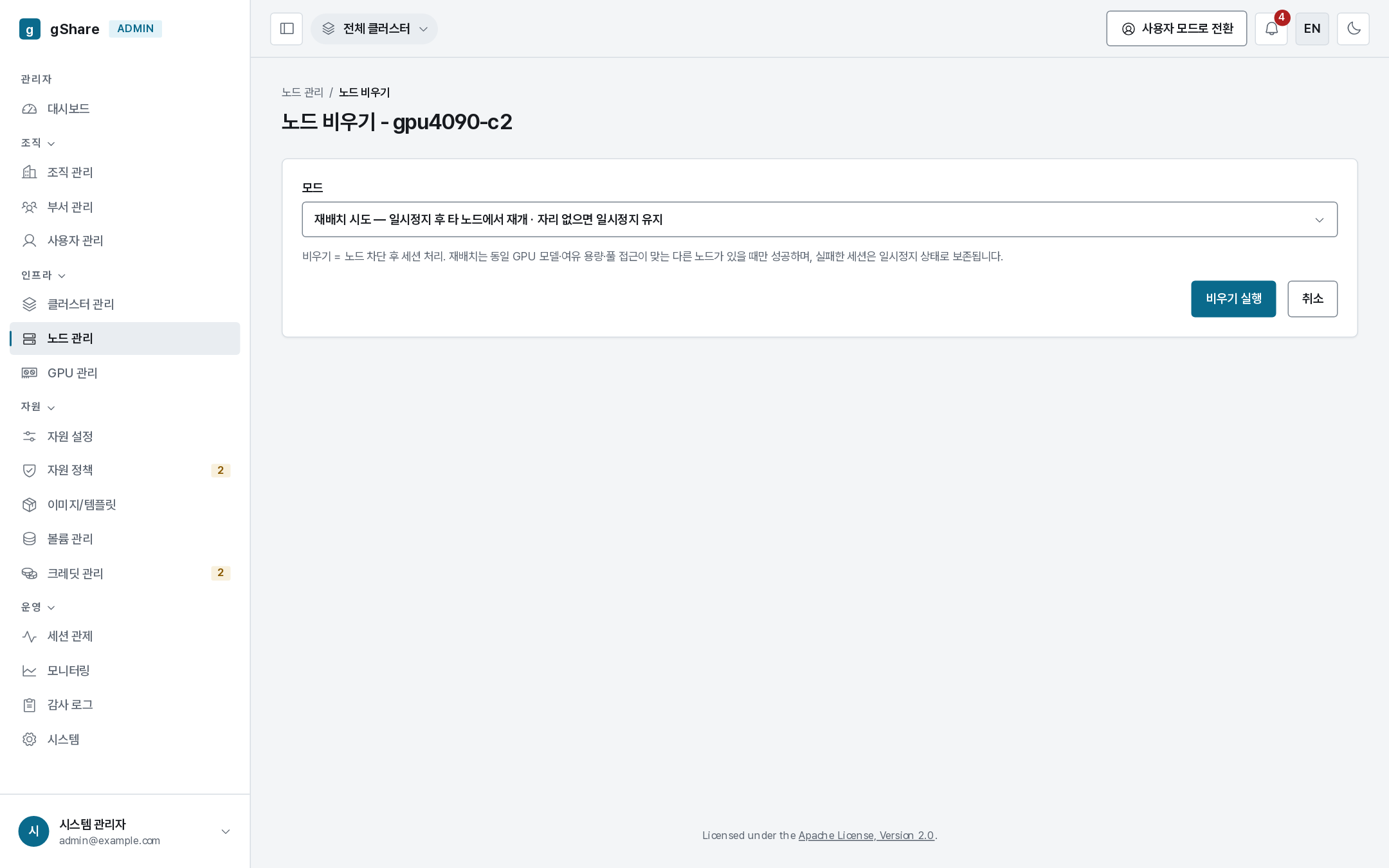
Drain cordons the node and then deals with what is on it. Two modes:
| Mode | What happens to each session |
|---|---|
| Reschedule (default) | Cold-paused and resumed at once elsewhere: a GPU session needs another card of the same model with room and pool access, a CPU session any other CPU node. A session with nowhere to go is parked — it stays paused, holds its place in the queue, and the queue ticker resumes it as soon as room appears, including when you uncordon this node |
| Force terminate | Every session is settled like an administrator stop |
Reschedule is almost always right: the work survives, the owner sees a pause and a resume rather than a termination, and nothing is billed for the gap.
The page shows what is on the node before you commit — sessions, owners, and the cards they hold.
Deleting a node
Delete appears only on an offline node: a node the operator still reports would simply reappear on its next inventory tick.
It is refused (node_busy) while any live allocation or non-terminal session remains. It
removes the node and its GPU card records while keeping the billing history — past
allocations survive, holding their gpu_uuid, detached from the card that no longer exists.
Deleting a node's last card also empties any dedicated pool it belonged to; reassign or delete that pool.
The machine-level procedure — kubectl drain, kubeadm reset, labels for a new node — is in
Cluster setup.