Presets
A preset is a ready-made session size. Users pick presets first in the wizard; the raw numbers behind them stay out of the way.
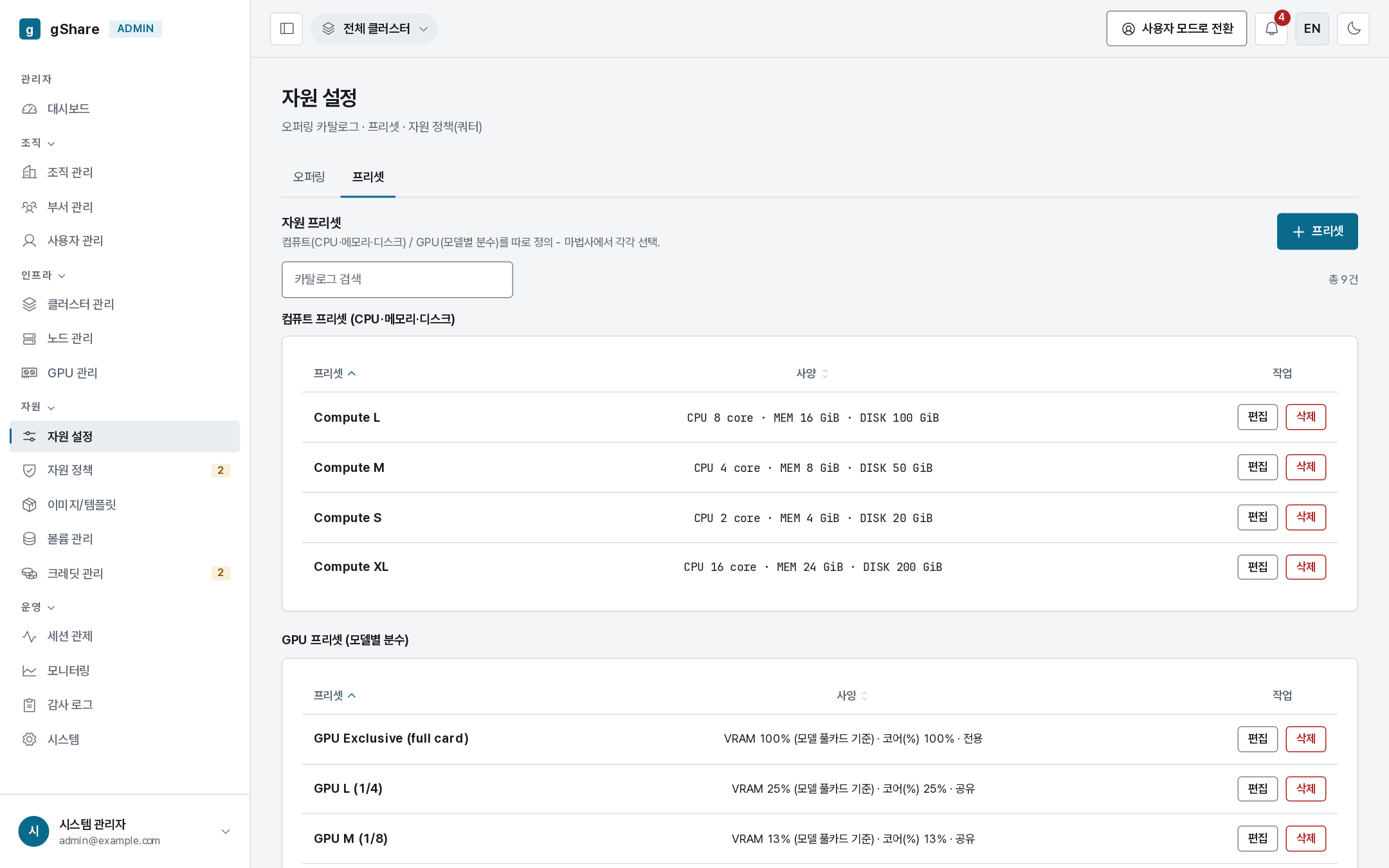
Two kinds sit in the same catalog:
| Kind | What it fixes |
|---|---|
| Compute preset | CPU cores, memory, scratch disk — Compute S/M/L/XL in the seeded catalog |
| GPU tier | The fraction of a card: XL ½, L ¼, M ⅛, S 1/16, or exclusive |
VRAM and cores for a tier are derived from the selected offering's whole-card figures, so one tier works across every model: XL is half of whatever card the user picked.
Creating one
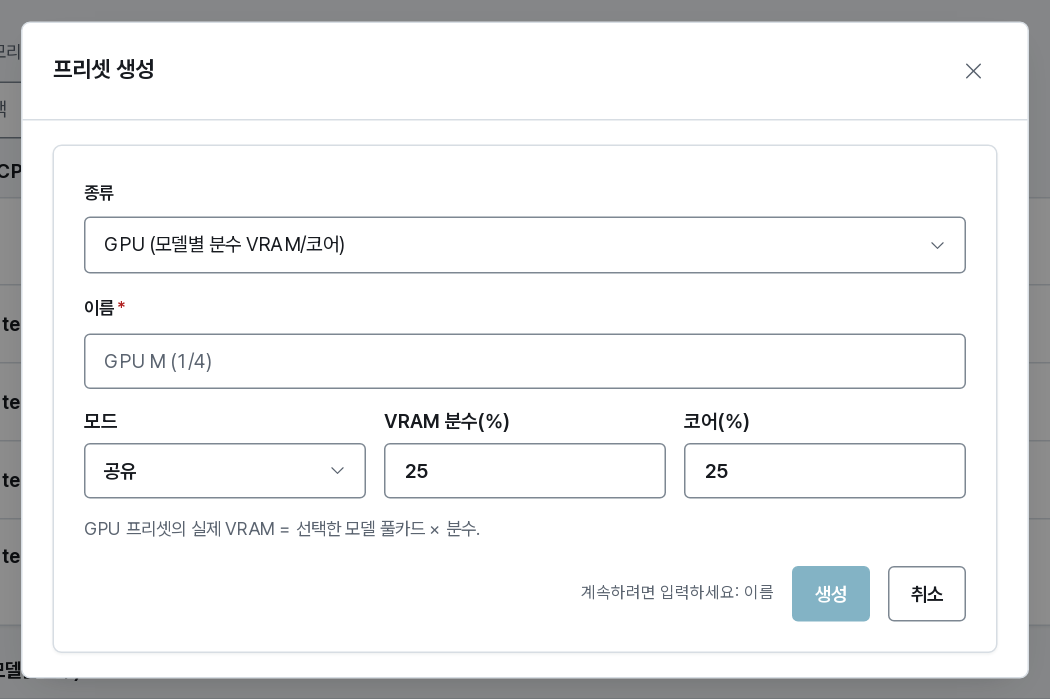
Give it a name users will understand at a glance, then the compute shape or the fraction. Keep the list short — five compute sizes and five tiers cover almost everything, and a long list makes the wizard a decision instead of a choice.
Sizing advice that saves support tickets
- Match the scratch disk to the images you ship. A 20 GiB disk with a 15 GiB CUDA image leaves almost nothing for data, and the failure ("no space left") does not obviously point back at the preset.
- Keep at least one small tier always available. It is the answer to "the cluster is full" — a 1/16 slice usually starts immediately.
- Do not offer an exclusive tier if no node runs in exclusive mode; the wizard will show it as unavailable, which just looks broken.
Custom, for the cases presets miss
Users can always open Custom in the wizard and set VRAM and cores directly (bounded by their policy). Presets are the fast path, not a cage — if you find everyone using custom with the same numbers, that is a preset waiting to be created.