Users
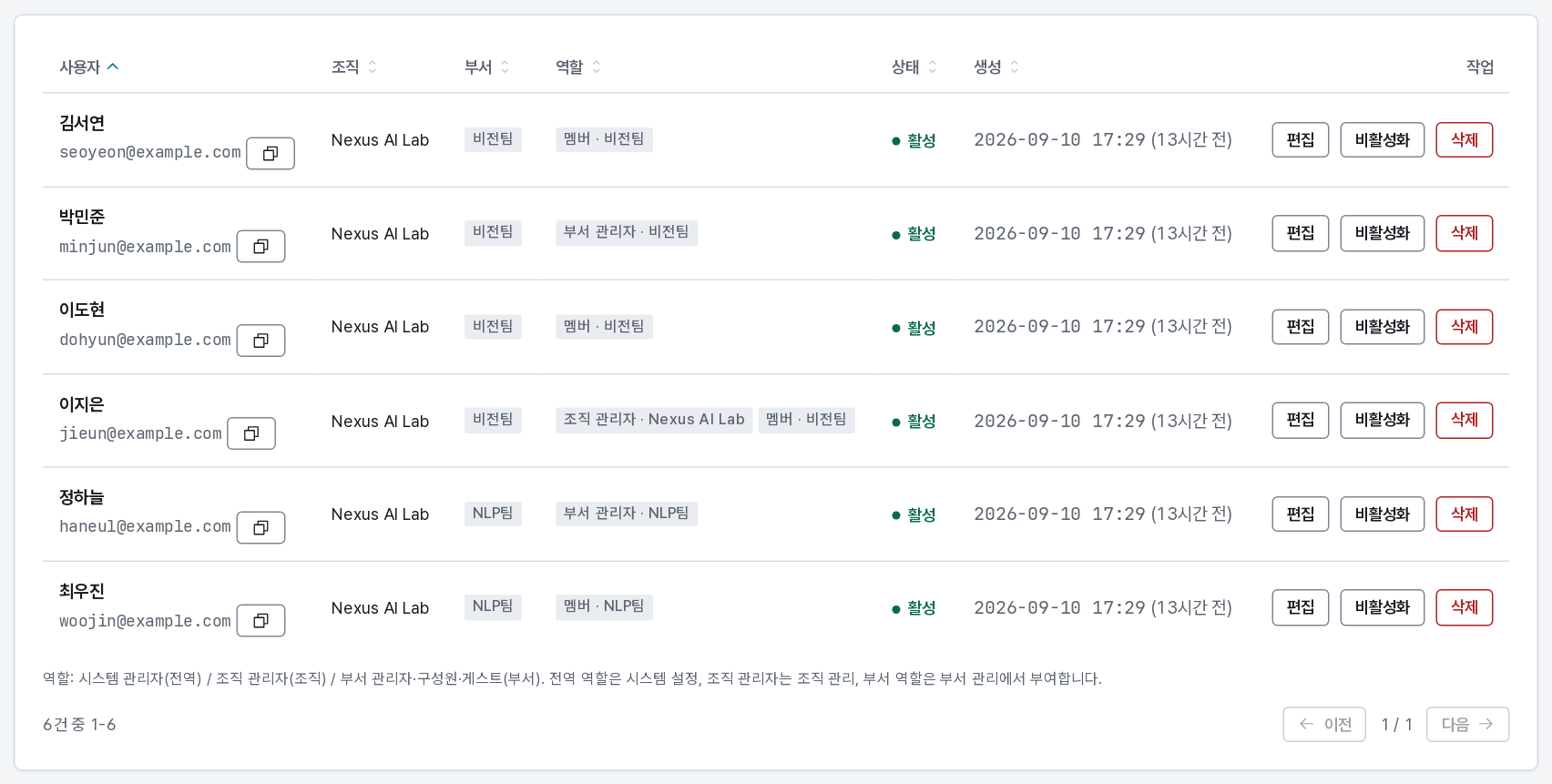
Organization → Users lists every account within your scope, with the role each holds and the group each belongs to.
| Page | What it covers |
|---|---|
| Adding users | One at a time, in bulk from CSV, and approving self sign-ups |
| Managing an account | Editing, roles, password resets, deactivation, deletion |
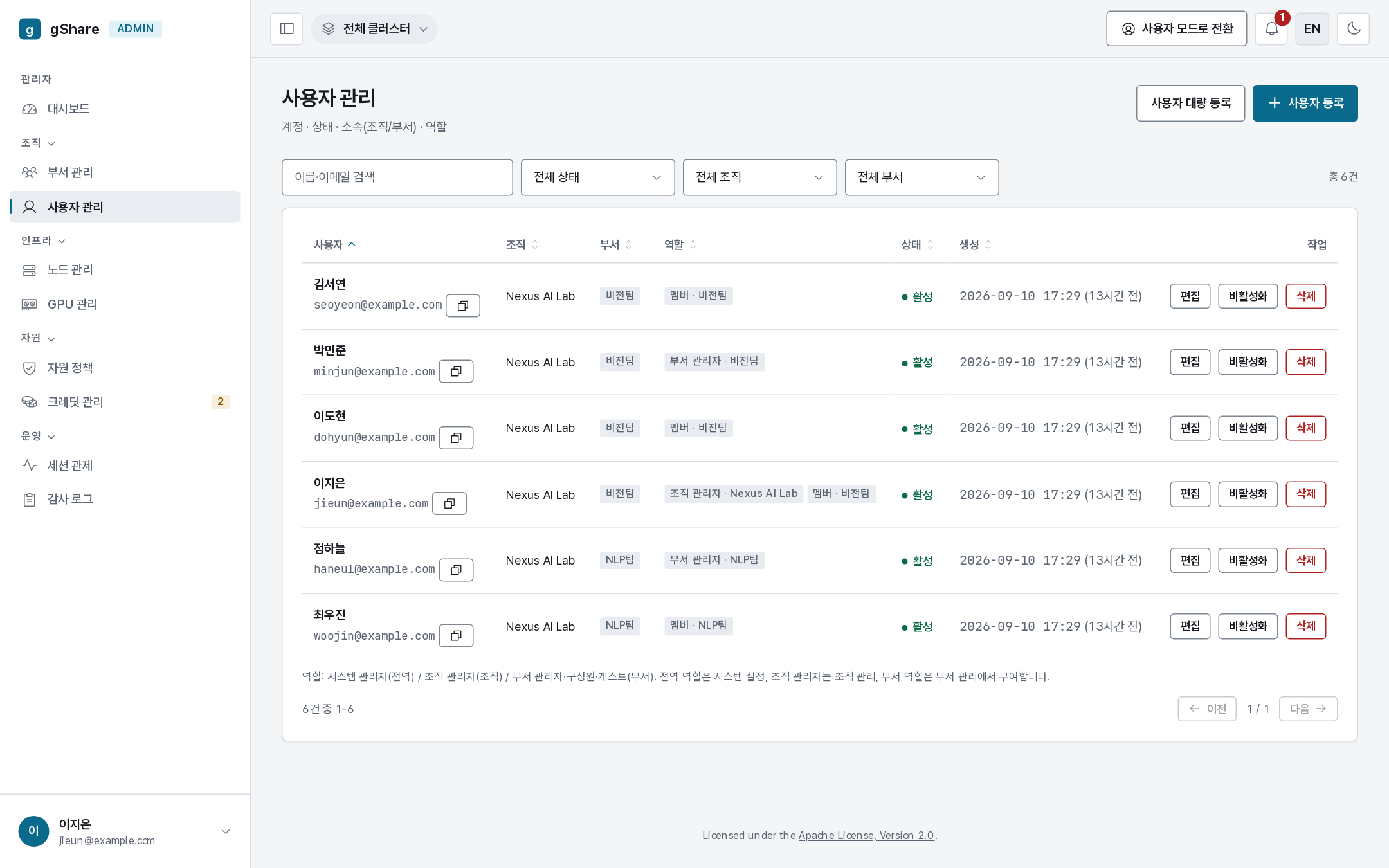
What the list shows
| Column | Meaning |
|---|---|
| User | Name and email (with a copy button). Email is the sign-in identity |
| Organization / group | Membership. A user may belong to several groups |
| Role | Every role held, each tagged with its scope — org admin · Nexus AI Lab, member · Vision |
| Status | active, pending (waiting for approval), or suspended |
| Created | When the account was made |
| Actions | Approve (pending accounts), edit, suspend/activate, delete |
Roles are granted elsewhere — the list only shows them: organization administrators on the
organization, group roles on the
group. The global role (super_admin) has no console
control; it is set through the API (PUT /api/v1/users/{id}/global-role).
Search matches name and email; the filters narrow by organization, group, and status. As with every list in the console, the filter lives in the address bar, so a view can be shared.
Scope
- A group_admin sees the members of the groups they administer.
- An org_admin sees every user in their organization.
- A super_admin sees everyone, including accounts with no group yet — newly approved sign-ups land there.
You can never see or edit a user outside your scope, and the API refuses it independently of what the console offers.
What a user's membership decides
Membership is not a label. It decides:
- which credit pool funds them — allocations flow organization → group → user (Credits);
- which resource policy applies — user → group → organization → global (Policies);
- which node pools they may be placed on (Node pools);
- who can see their sessions in monitoring and the audit log.
A user with no group has no credits and no pool access — which is exactly why the approval dialog asks for a group.