Managing an account
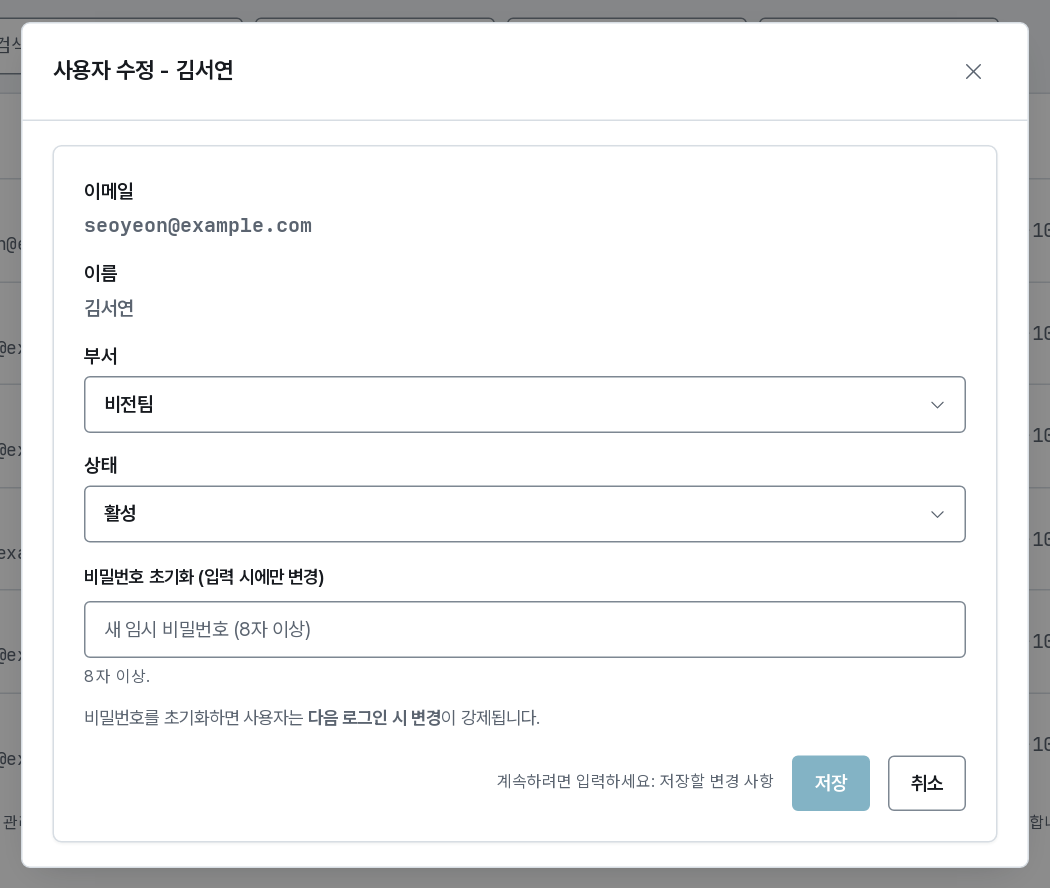
Edit opens everything about one account that an administrator may change.
What the dialog lets you change
| You are | You may change |
|---|---|
| super_admin | Email, name, organization, group, status, and a password reset |
| org_admin | Group (within your organization), status, and a password reset |
| group_admin | A password reset only |
Adding a group gives the user that group's credits and policy; removing one takes them away. Sessions already running are unaffected until they end.
Roles are not set here. Group and organization administrators are appointed from the group and organization pages, and a role can only be granted at or below your own, within your scope. Global roles (super_admin) are a super_admin action, done through the API — the console has no control for them.
The dialog also shows the account's usage — sessions, GPU and host resources held, volumes, wallet — so you can see what deactivating or deleting would affect before you do it.
Every change is written to the audit log with before and after values.
Resetting a password
Someone who has forgotten their password cannot recover it themselves, and neither can you: it is stored hashed and nobody, super_admin included, can read it back.
Issue a new password in the edit dialog. The system picks a random one, shows it to you once, and the old one stops working immediately. The user is forced to replace it at their next sign-in.
Nobody chooses another person's password, not even a system administrator. The API refuses it, so the only way back in for a locked-out account is this reset.
Copy the value before you close the dialog — it is not stored in readable form and cannot be shown again. Hand it over on a channel you trust: until the user replaces it, it is a working credential.
Deactivating
Deactivate signs the user out immediately and refuses further sign-ins. Their sessions keep running (deactivating is not a way to free a GPU — terminate the sessions from monitoring for that), their volumes and credits stay, and the account can be activated again at any time.
Use it for someone who has left temporarily, or an account you suspect is compromised.
Deleting
Deletion asks for the email to be typed, because it cannot be undone.
What happens (a soft delete, which is what the console does):
- Running sessions are terminated and settled, as an administrator stop.
- The account is suspended and marked deleted: no sign-in, gone from the lists.
- Their volumes, wallet and history are kept. Copy or delete their volumes from Storage and reclaim unspent credits from the pool when the team is ready — the platform does not do it for you.
- The audit history of what they did is kept — deleting a user never erases the record.
A hard delete exists in the API for the super_admin, and only for an account with no session history at all; it removes memberships, share permissions and an empty wallet.
For someone who has simply left, deactivation is almost always the right action: it stops access at once and leaves you a week to find out what of theirs the team still depends on.