Notifications
The platform tells you when something happened to your work while you were not looking.
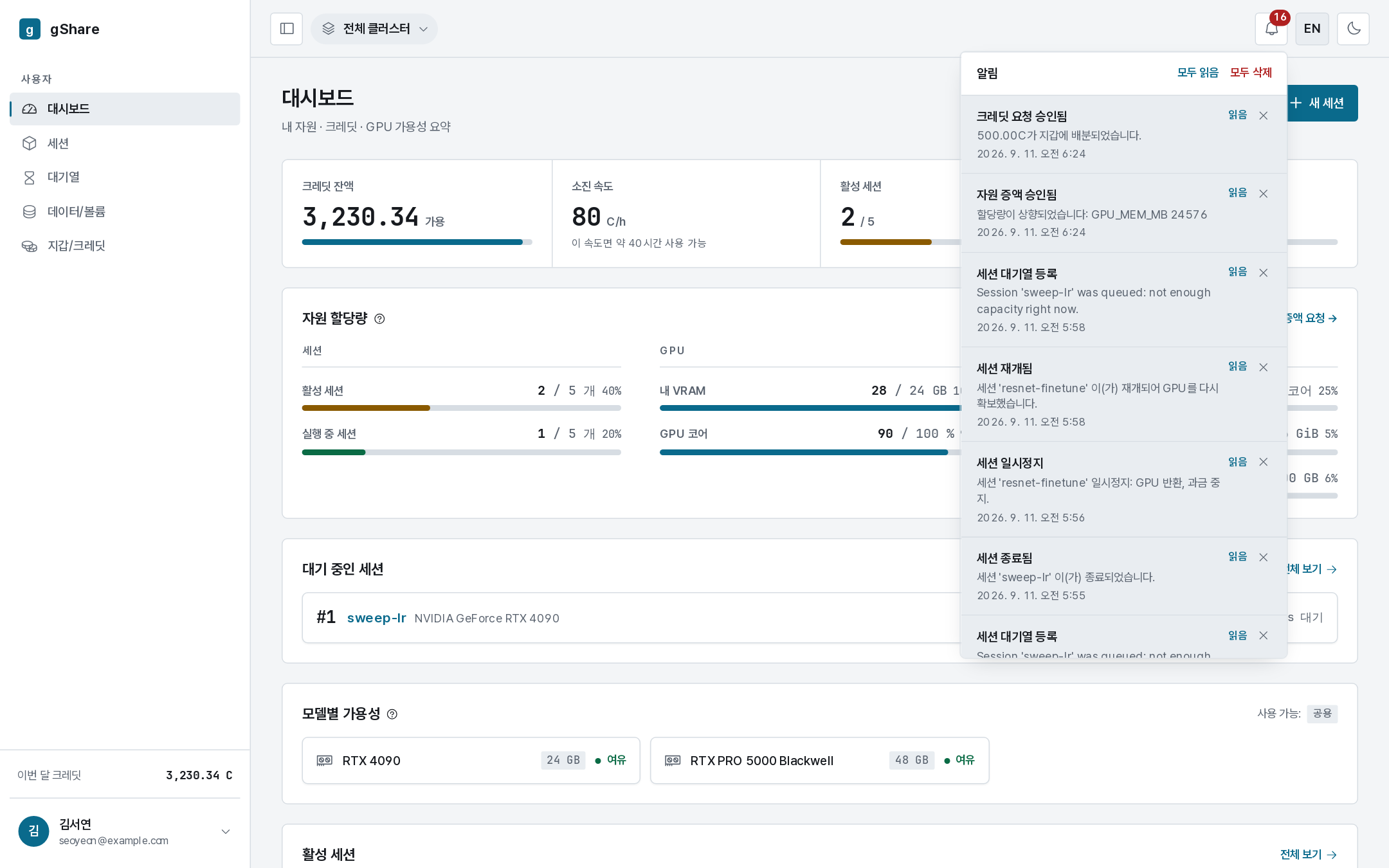
The bell in the top bar carries the unread count. Opening it lists the most recent notifications; clicking one goes to what it is about — a session, a request, a volume. Mark all read and Clear all are in the header of the panel.
What you are notified about
| Event | Example |
|---|---|
| A queued session started | Session 'sweep-lr' was queued: not enough capacity right now |
| A session was paused or resumed | Session 'resnet-finetune' paused: GPU returned, billing stopped |
| A session ended without you | Idle timeout, max runtime, crash loop, node offline, an administrator's force-terminate |
| A credit request was decided | Credit request approved — 500.00 C allocated to your wallet |
| A resource increase was decided | Resource increase approved: GPU_MEM_MB 24576 |
| A volume was shared with you, or access revoked |
Administrators get their own set (node offline, and so on); you only ever see your own.
The history
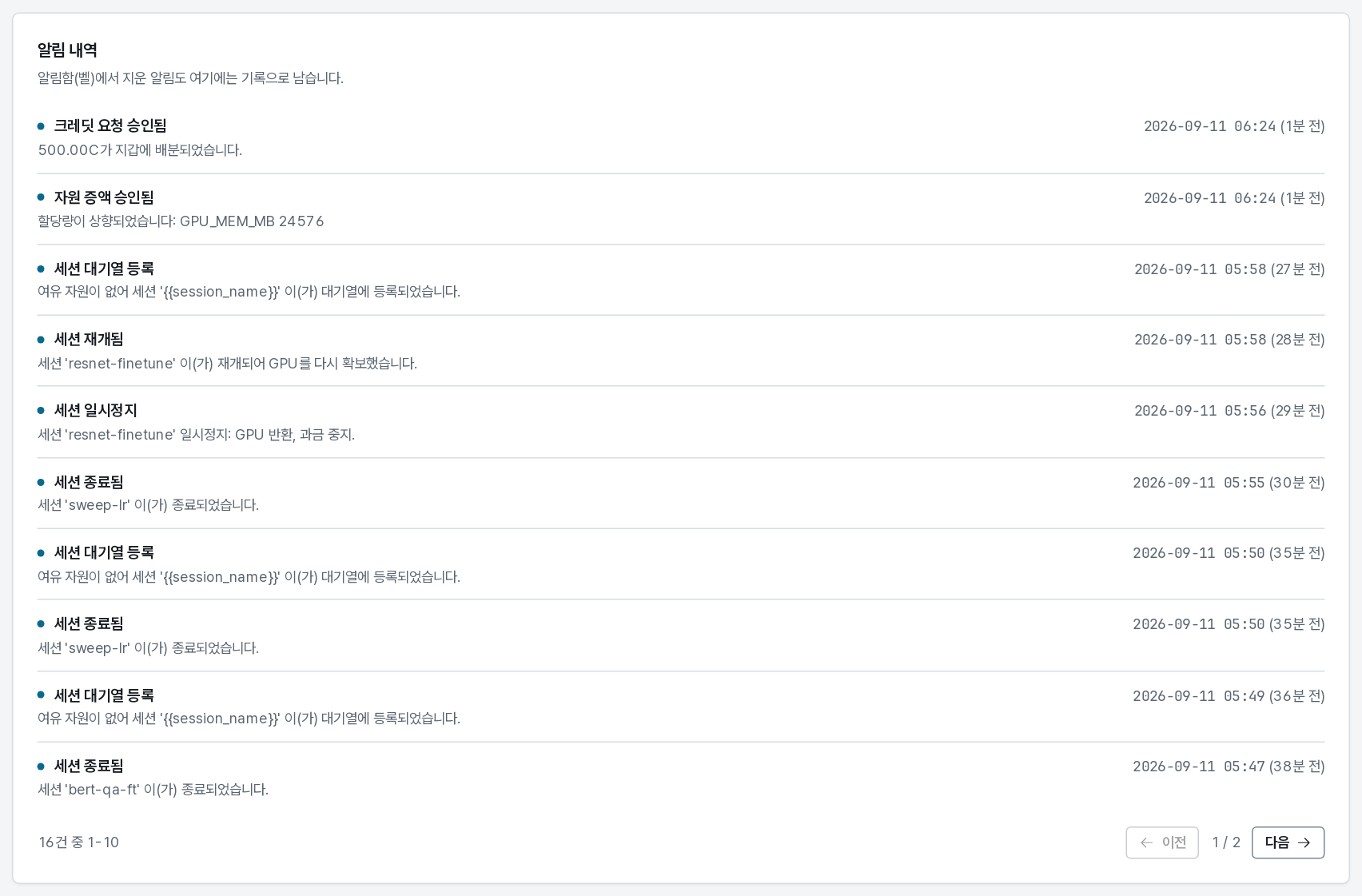
My page → Notification history keeps the full list, including ones already cleared from the bell — cleared entries are marked. It is the place to check what exactly ended a session three days ago, and it agrees with the session's own event log.
No email
gShare does not send email. Notifications live in the console, which is also where the action they are about lives. If your site needs outbound alerts, administrators can register webhooks per organization through the API.