Data and volumes
A volume is persistent storage that outlives any single session. Create one, mount it into
sessions at a path such as /data, and the files are still there next time — on whichever node
the session lands.
| Page | What it covers |
|---|---|
| Creating a volume | Name, owner scope, type, access mode, size |
| Using a volume in a session | Mounting, paths, seeing who has it open |
| Sharing a volume | Giving access, read-only or read/write, revoking |
| Resizing, locking, deleting | Growing the quota, locking, safe deletion |
Credits are charged for GPU session time only. What limits storage is the quota in your resource policy, shown on every volume, not your balance.
The volume list
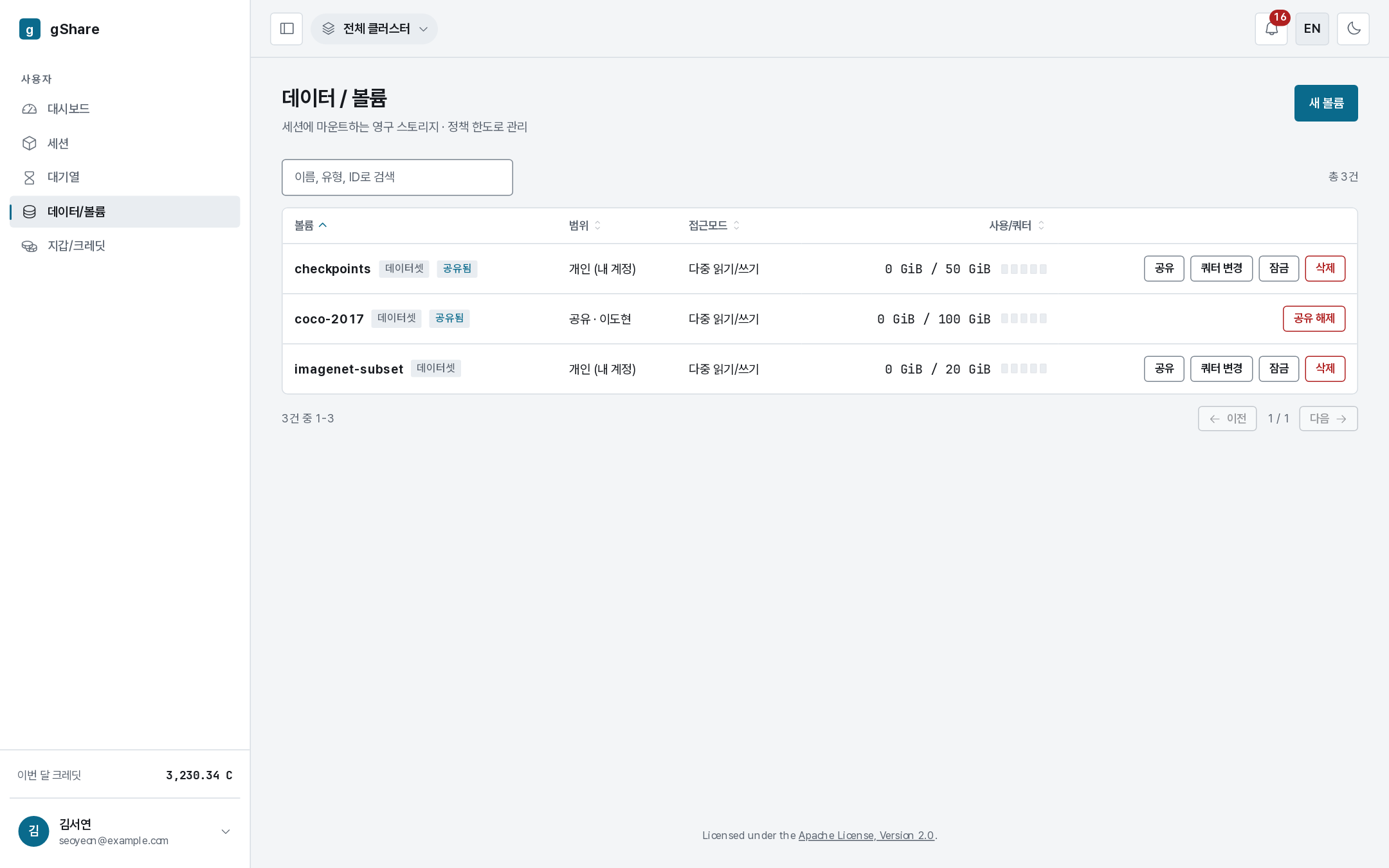
Everything you own, plus everything shared with you.

| Column | Meaning |
|---|---|
| Volume | The name, with locked and shared tags where they apply |
| Scope | Personal (my account), a group, everyone, or shared · <owner> for one shared with you |
| Access mode | read/write (RWX) or read-only (ROX) — the volume's own mode, which caps how any session may mount it |
| Quota | Used against granted, with a gauge |
| Actions | Share, change quota, lock, delete — or leave share on a volume someone shared with you |
Clicking a row expands it to show which sessions currently have it mounted; see Using a volume in a session.
Scopes
| Scope | Who can mount it | Created by |
|---|---|---|
| Personal | You, plus anyone you share it with | Anyone |
| Group | Every member of that group, automatically | Group administrators |
| Everyone | Every signed-in user | Platform administrators |
Types
The type is a label that says what the volume is for; it does not change how the storage works.
| Type | For |
|---|---|
| Dataset | Training data — usually shared read-only across several sessions |
| Personal workspace | Your own long-lived working files, kept across sessions |
| Group share | A space the whole group reads and writes |
| Scratch | Temporary fast space; may be cleaned up |
Where the data lives
Volumes sit on the storage pool your site registered (see Operations → Storage). A volume is created on one cluster's storage and stays there, so on a multi-cluster installation a session that mounts it is placed on that cluster.