Waiting in the queue
When the GPU you asked for has nothing free, the session is not refused. It enters the queue and starts by itself as soon as room appears — you can close the tab.
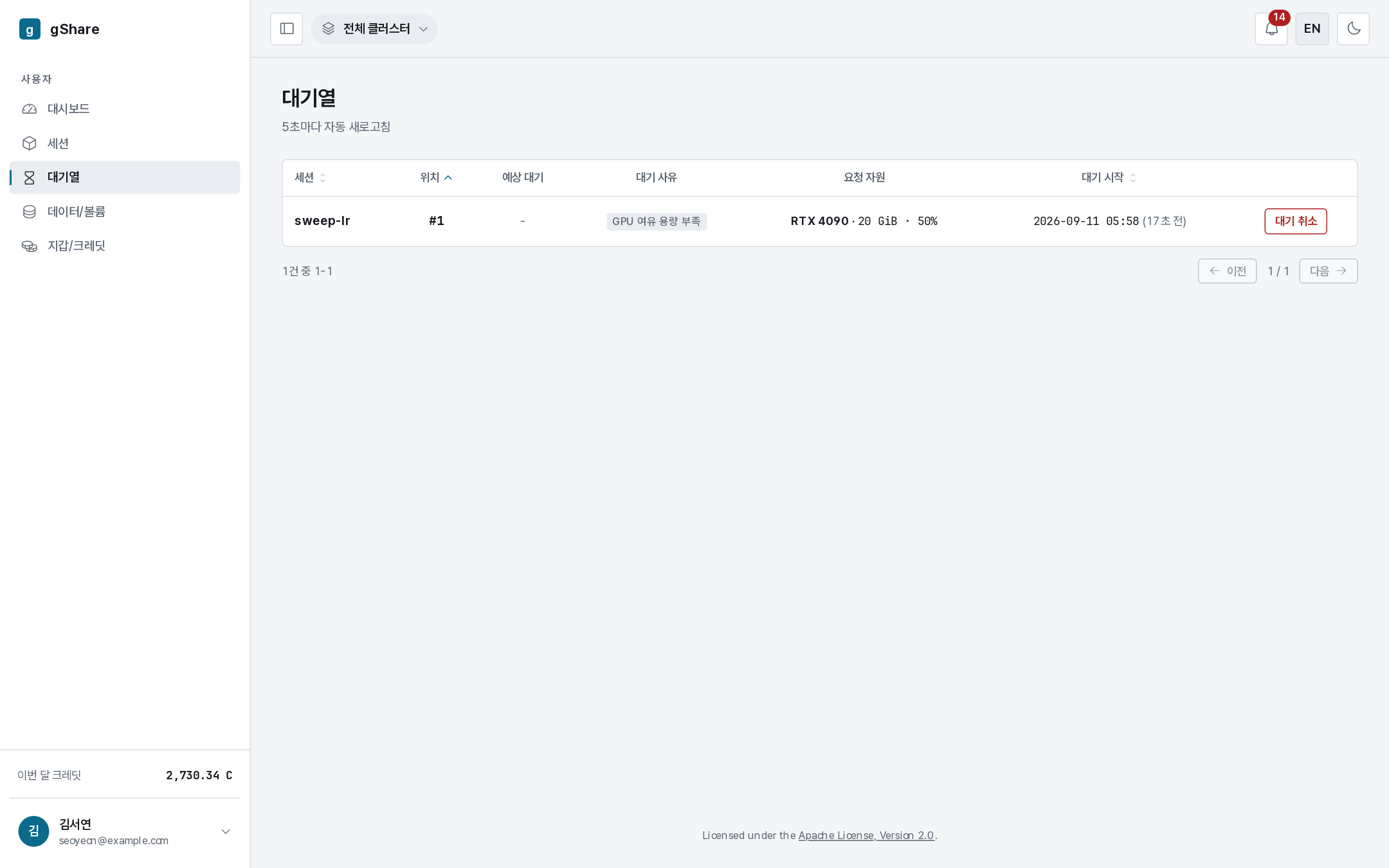
What the queue tells you
| Column | Meaning |
|---|---|
| Session | The session waiting. Click through for its detail page. |
| Position | Where you stand. #1 is next. |
| Estimated wait | Shown once there is enough history to estimate; - while there is not. |
| Reason | Why it is waiting — no free GPU capacity, no host headroom (the node's CPU or memory, not the card), no CPU node. |
| Requested resources | The model, VRAM, and cores it is holding a place for. |
| Waiting since | When it joined. |
The page refreshes itself every five seconds.
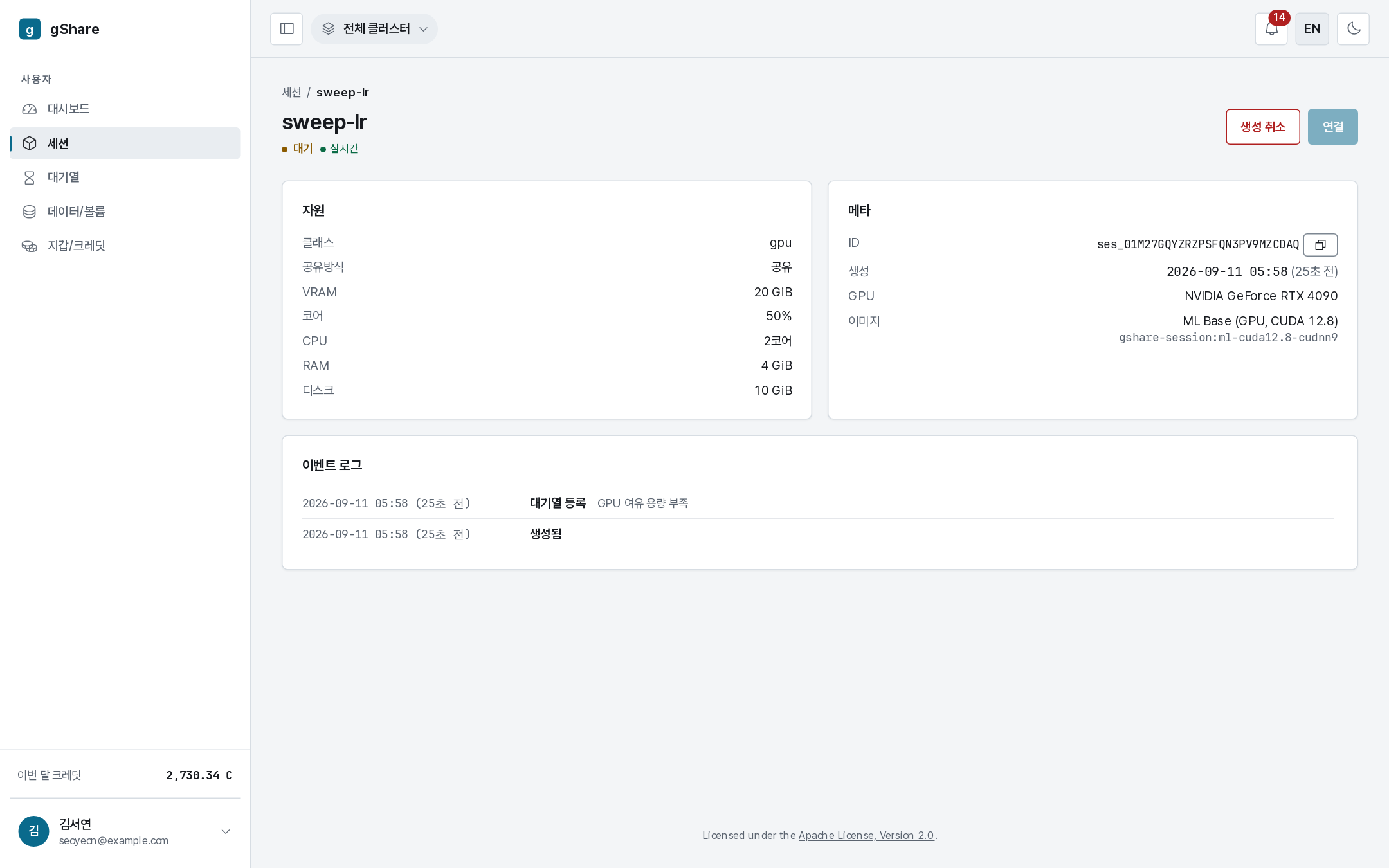
The session's own page says the same thing in its status line and keeps the reason in the event log, so you can see afterwards how long it waited.
How places are decided
As capacity is returned — a session ends, or is paused, or an administrator frees a node — queued sessions are admitted in priority order, and within the same priority in the order they joined. Administrators can raise the priority of an entry; you cannot raise your own.
Your resource policy also caps how many sessions you may have waiting at once (two, in the default catalog).
While you wait
- Credits are held, not spent. The hold was taken when the session was created; nothing is consumed until the container actually runs.
- A smaller tier often starts at once. A queue caused by no free GPU capacity usually clears immediately for a smaller slice — cancel and recreate with the next tier down if the work fits.
- CPU sessions never queue on GPUs. If the work is preprocessing, a free CPU session runs right now.
Cancelling

Cancel removes the entry and terminates the session that was waiting. The hold is released in full — a session that never ran is never billed. You lose your place: requesting again puts you at the back.