Transaction history
The Transactions tab is the wallet's ledger: every movement, newest first, with the balance after each one.
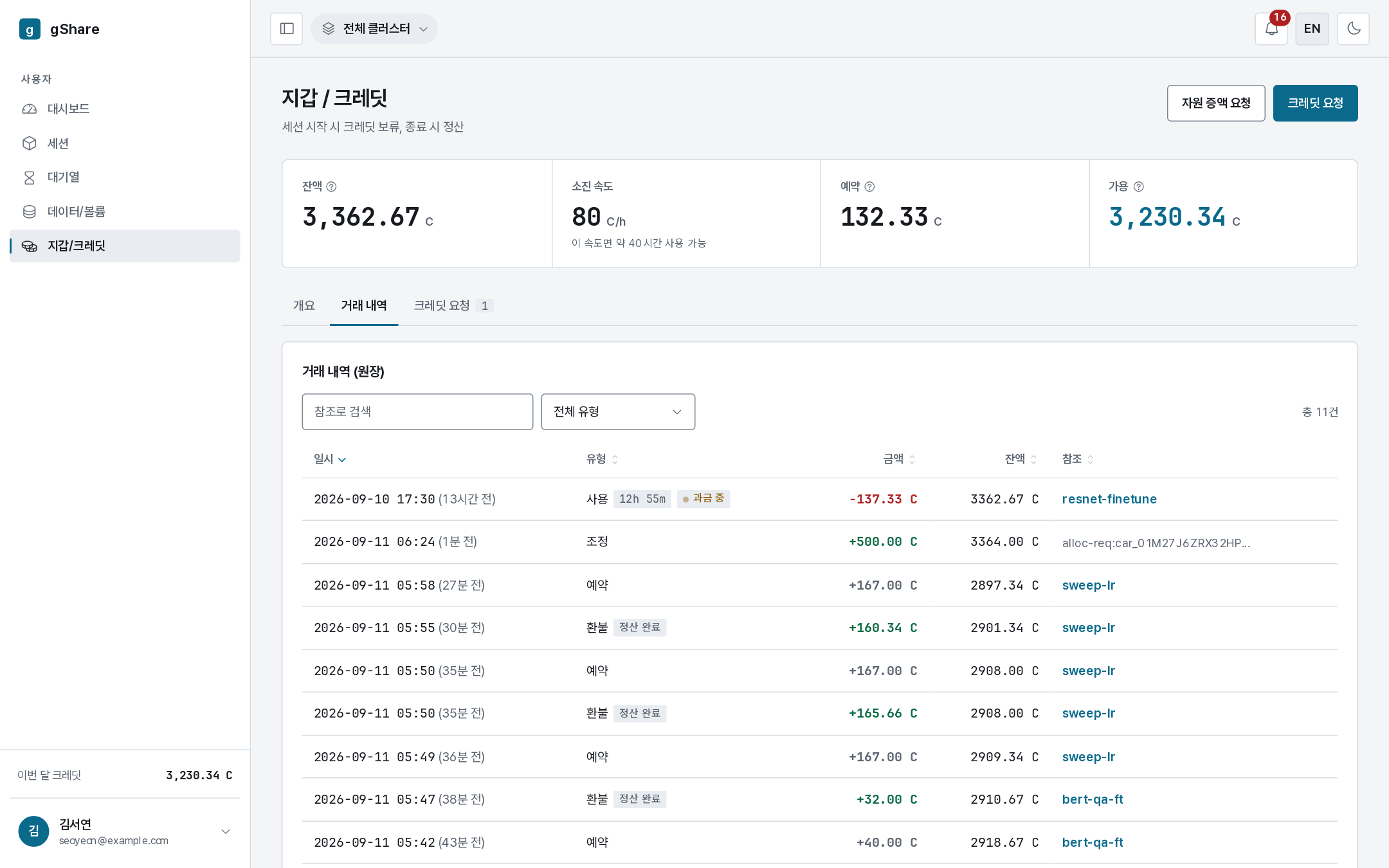
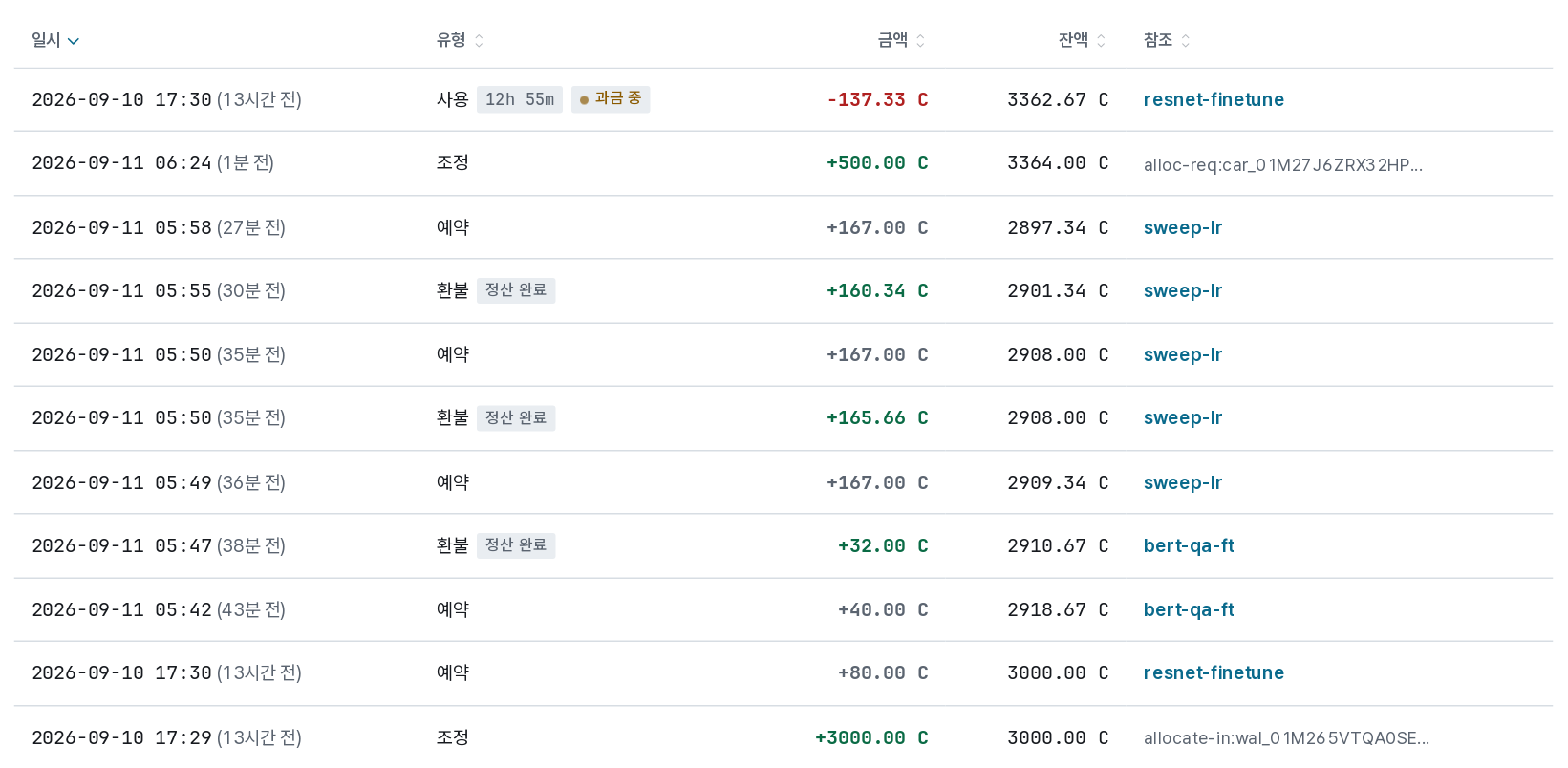
| Column | Meaning |
|---|---|
| When | Timestamp; hover for the exact value. A usage row shows the period it covers. |
| Type | What the row is — see below |
| Amount | Negative for charges, positive for credits received or refunded; a hold row shows the amount reserved |
| Balance after | The wallet's balance once this row was applied |
| Reference | The session, request, or reason behind it — session names link to the session |
Row types
| Type | What it is |
|---|---|
| Hold | Reserved when a session started. It is not a charge; it is money set aside |
| Usage | The actual charge for a period of a session's runtime |
| Settlement | The final reckoning when a session ends |
| Refund | The unused part of a hold, returned |
| Adjustment | Credits moved by an administrator: an allocation to you (allocate-in), an approved request (alloc-req), a monthly refill, or a reclaim back to the pool |
| Top-up | Credits issued at the system tier — you will rarely see one on a personal wallet |
The Reference column names what the row came from: the session, or a marker such as welcome credit or top-up approval.
Two tags appear on usage rows:
- billing now — the session is still running, so this row is not final yet.
- settled — the session has ended and this row will not change.
A long-running session is summarized rather than written second by second: one row per billing period, with the number of underlying entries in its tooltip.
Finding things
- Search matches the reference — a session name, for instance.
- The type filter narrows to allocations, usage, refunds, and so on.
- Every column sorts, and the filter lives in the address bar, so a view can be shared.
Reconciling a session's cost
Open the session from the Reference column, or go the other way: a session's page shows its own estimated spend, and the final figure appears here as a settlement when it ends. The two agree — the session page estimates from the ledger rather than keeping its own count.
If a figure looks wrong, quote the session id (copy button on the session page) and the timestamp to your administrator; both the ledger and the audit log keep the whole chain.